Load takedowns in minutes, not hours.
Pull the walls, floors and loads straight from your drawings. LoadTakedown carries every load down to the foundations and checks it balances, from a house extension to a complex multi-storey frame.
- Auto-build, results in seconds
- Load balance checked every run
- PDF and Excel report
- Runs in your browser
Built by a Chartered Engineer
For the calcs your engineers do every day.
01
Drawings in
Walls, floors and loads read from your plans
02
Every load traced
Roof, floors and walls, storey by storey, to each foundation
03
Balance checked
Load applied matches load at the foundations, every run
04
Report out
PDF and Excel calcs with every wall's working
Built for real buildings
Houses, extensions and concrete frames, with the details that make a load takedown right.
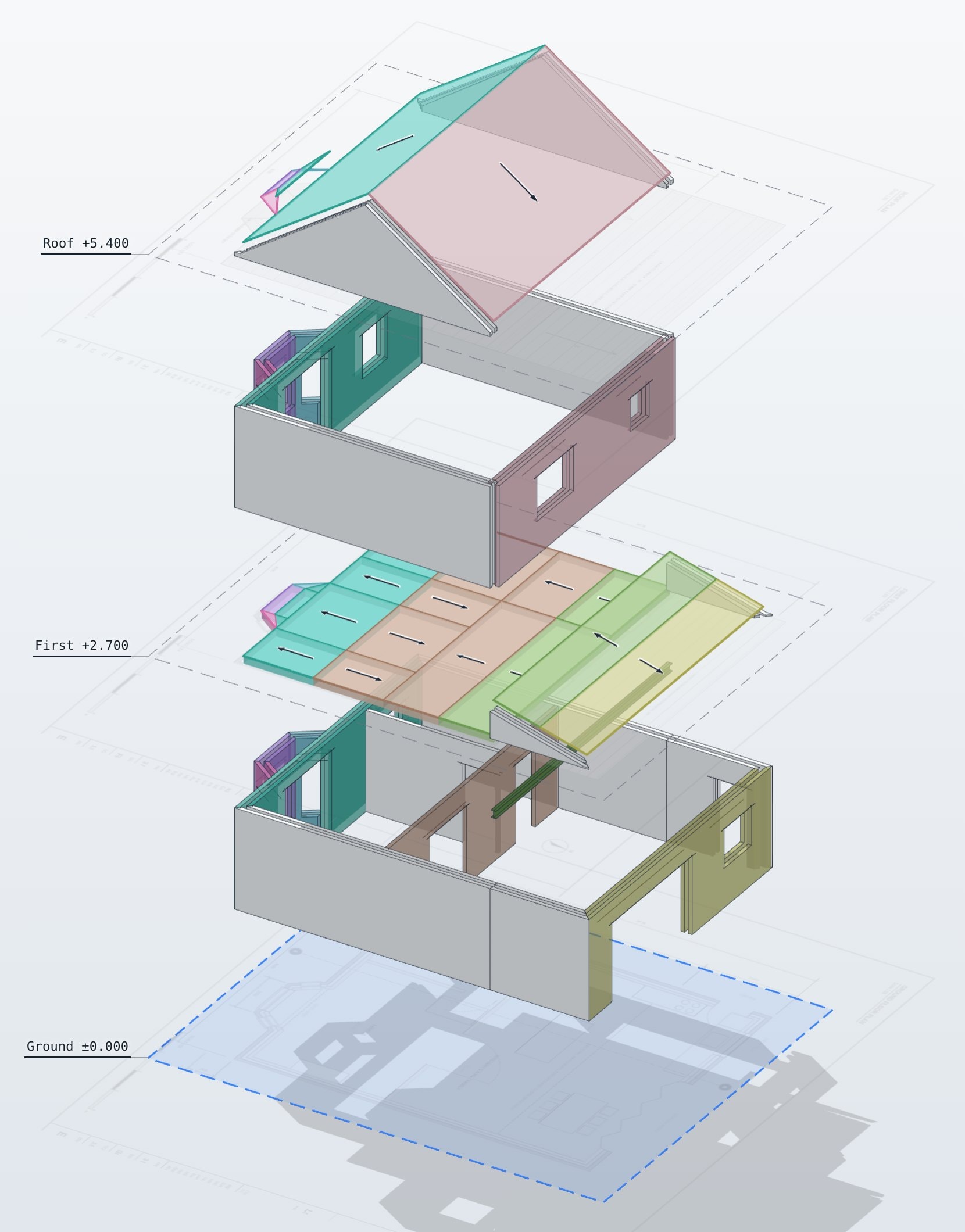
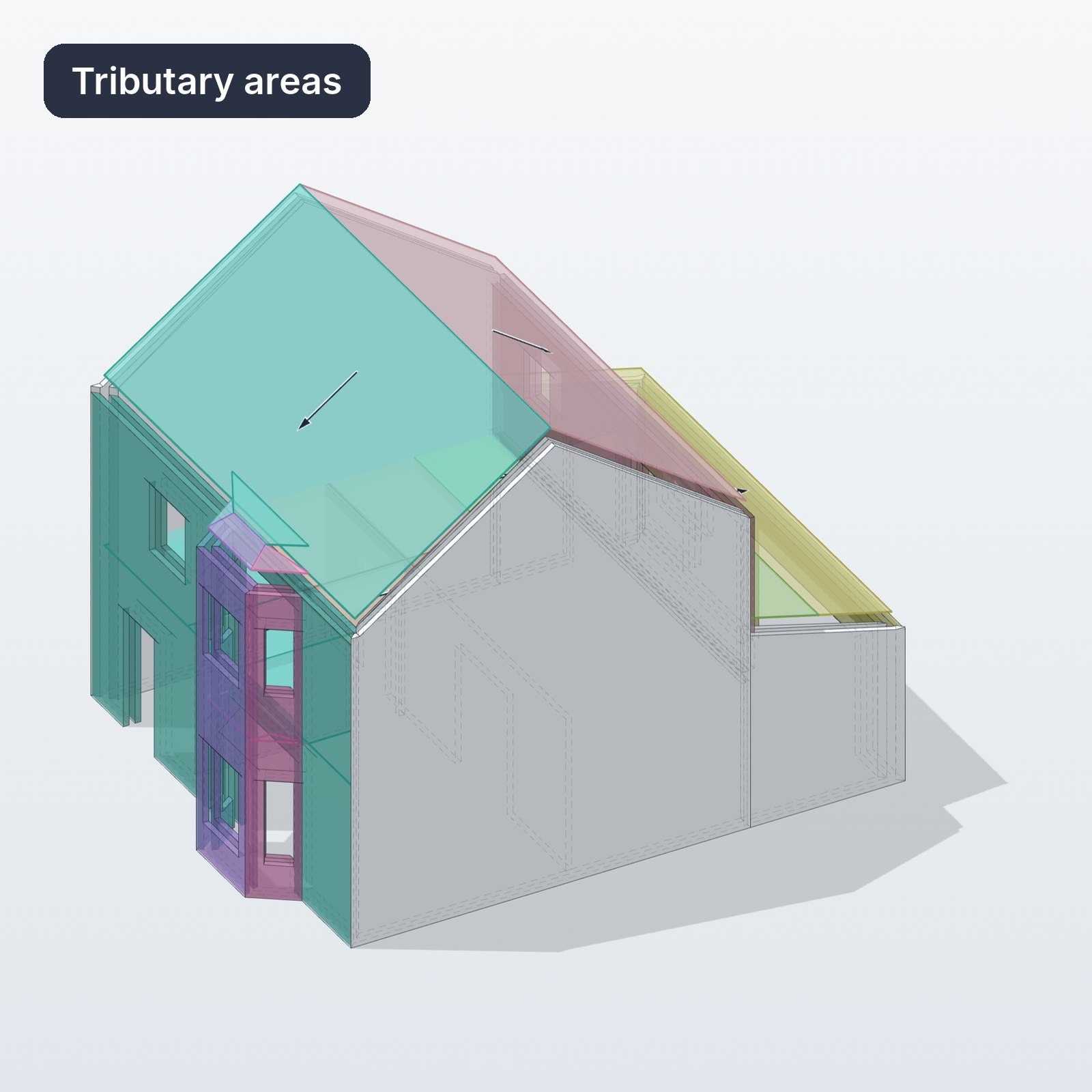
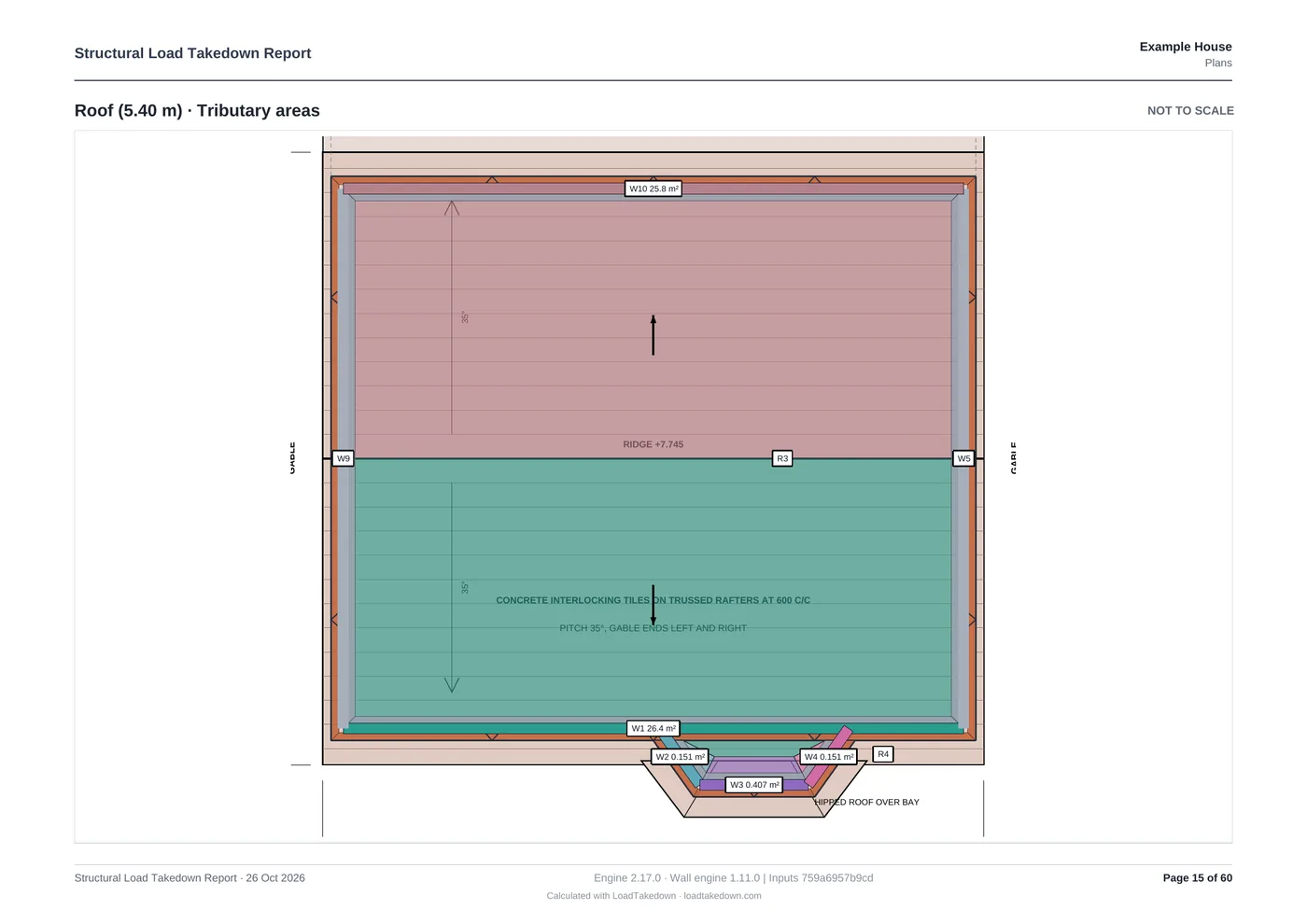
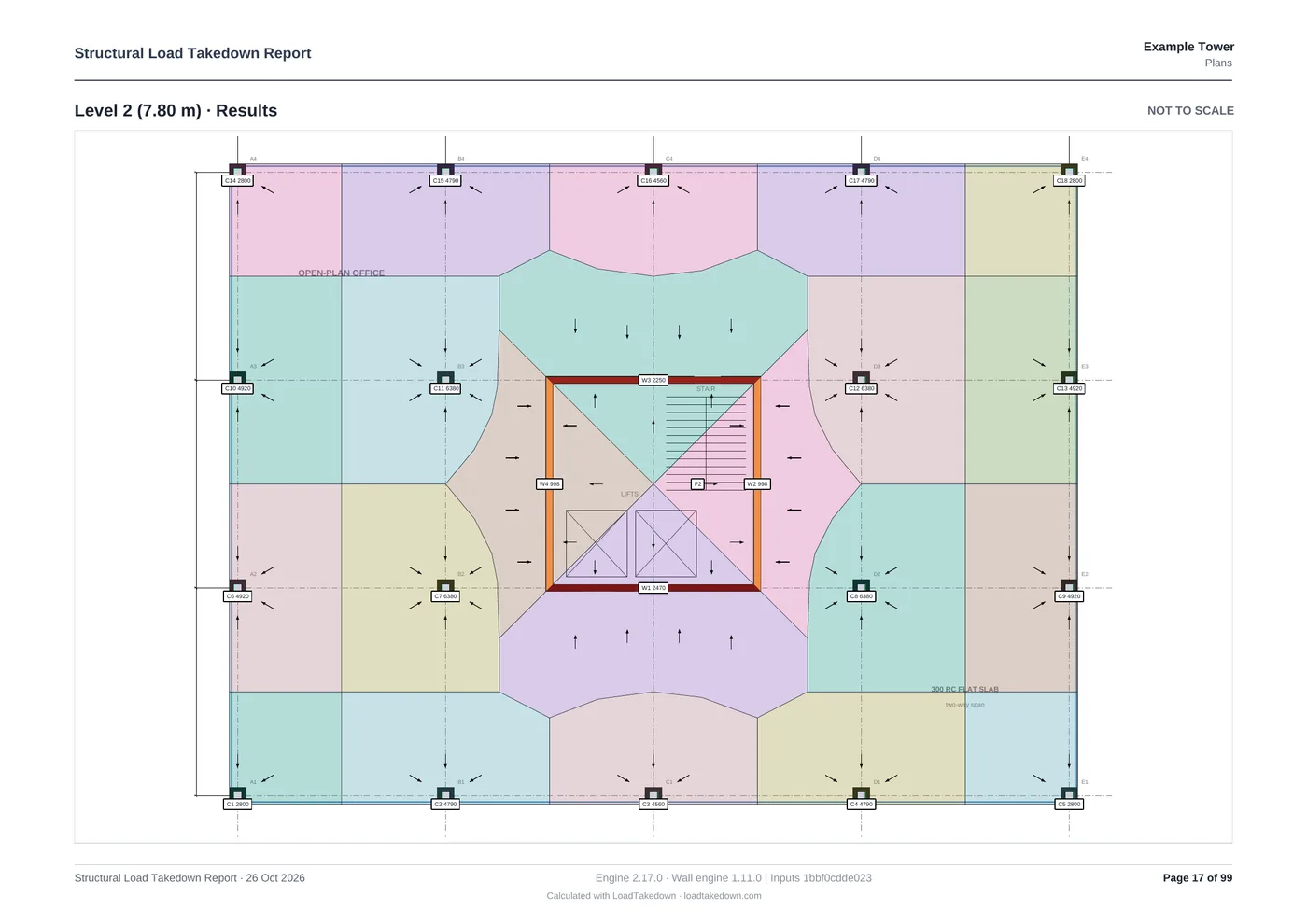
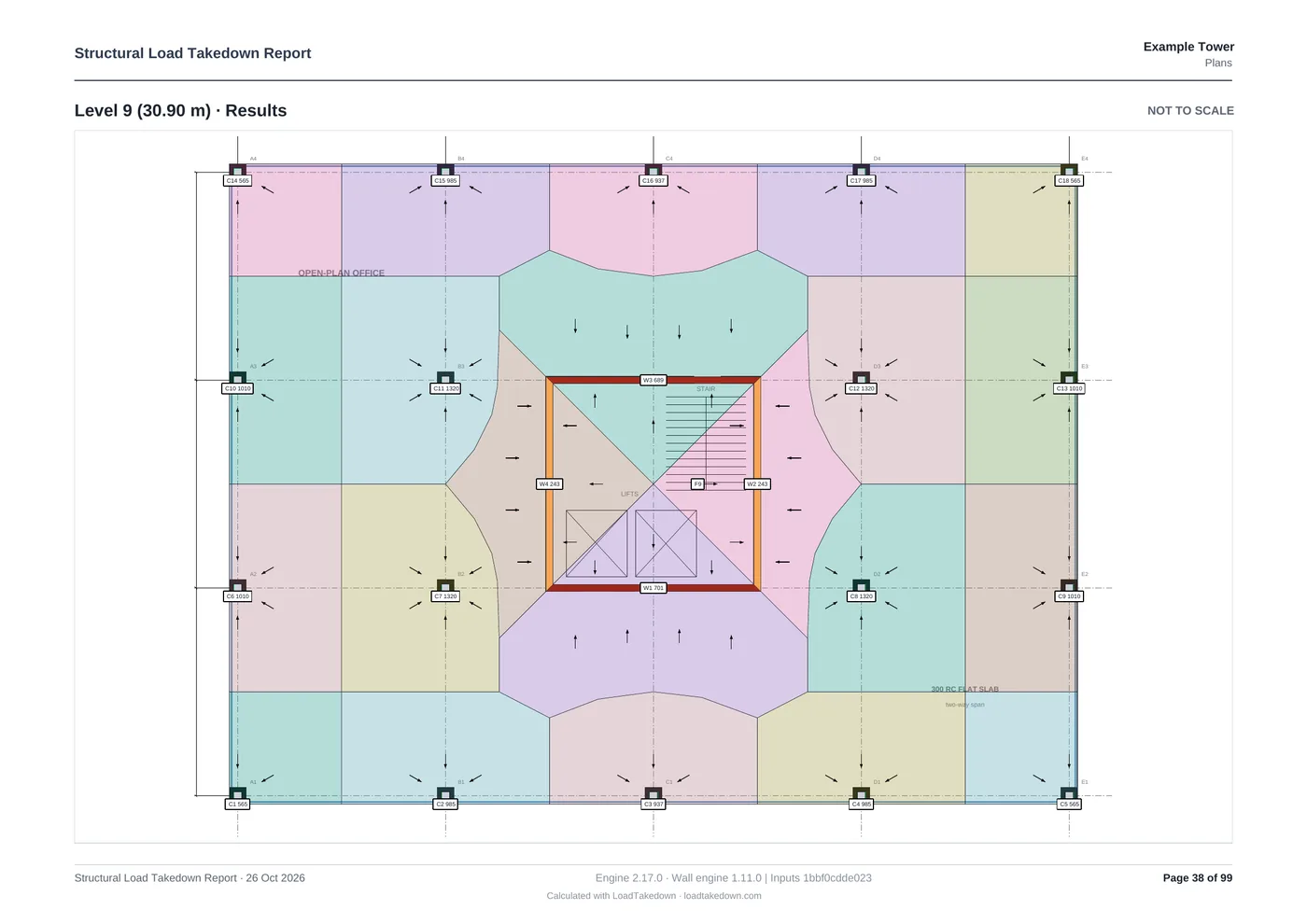
Tributary areas, storey by storey
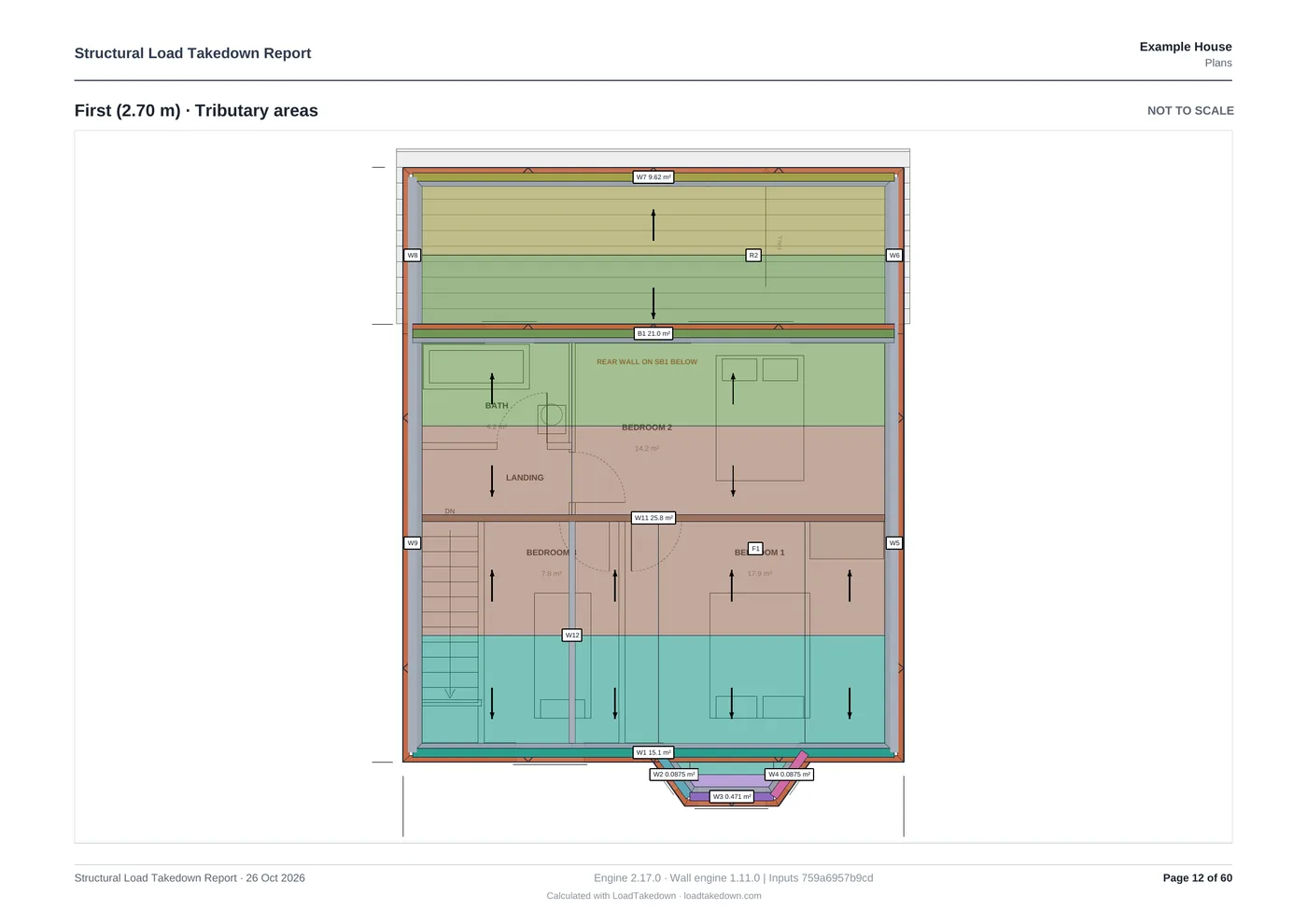
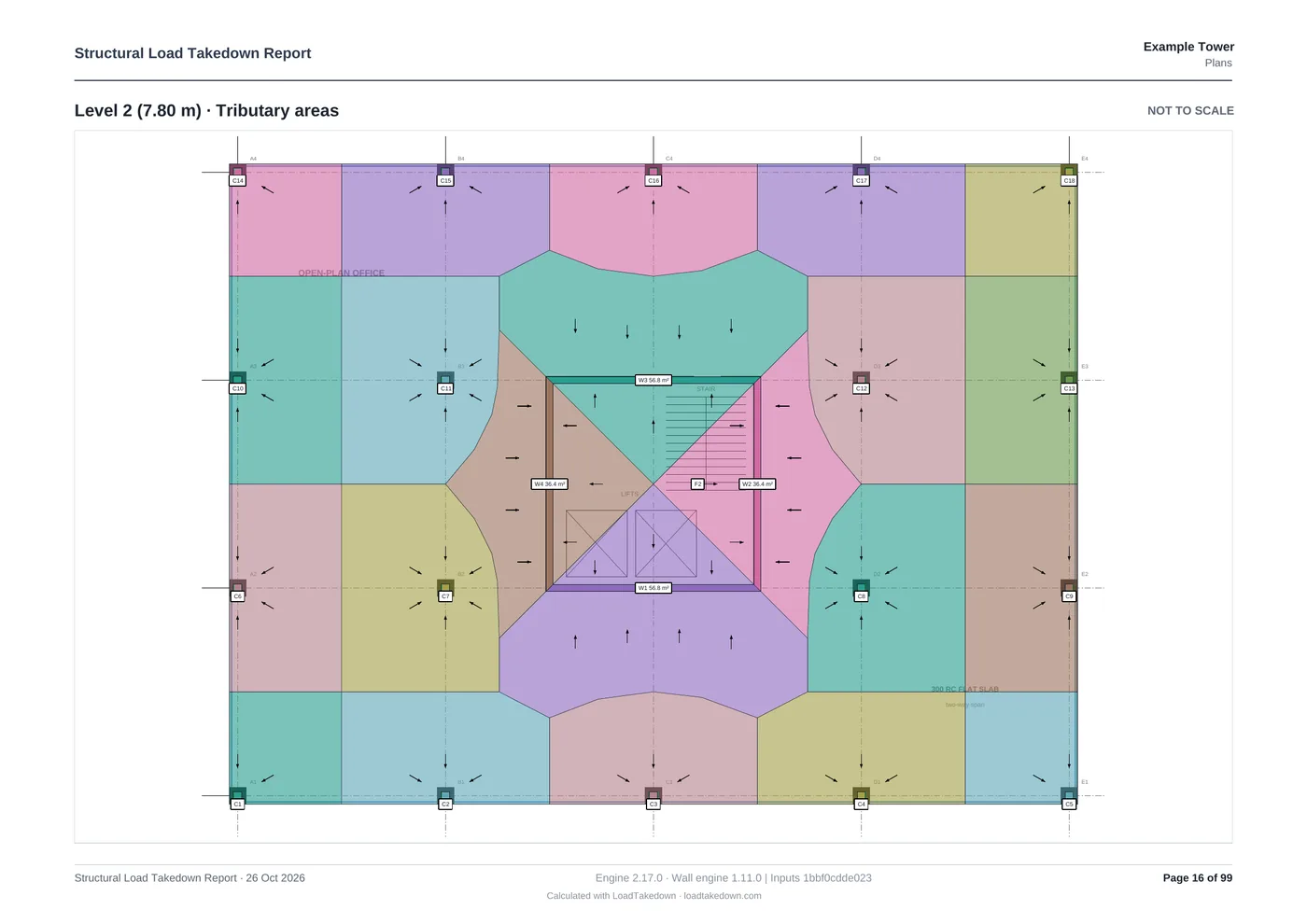
Every roof slope and floor split into the area each wall carries, coloured to match the wall it loads.
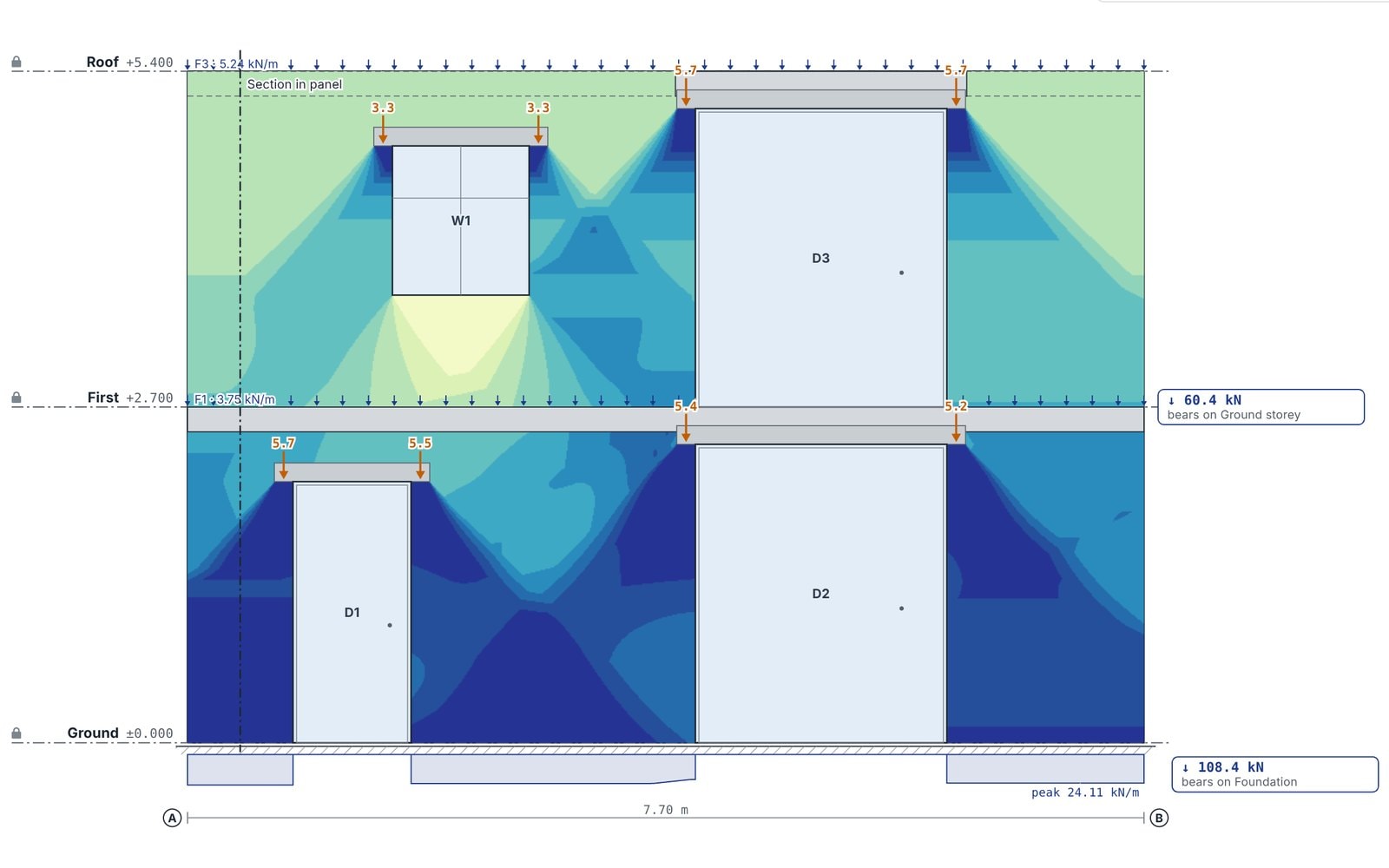
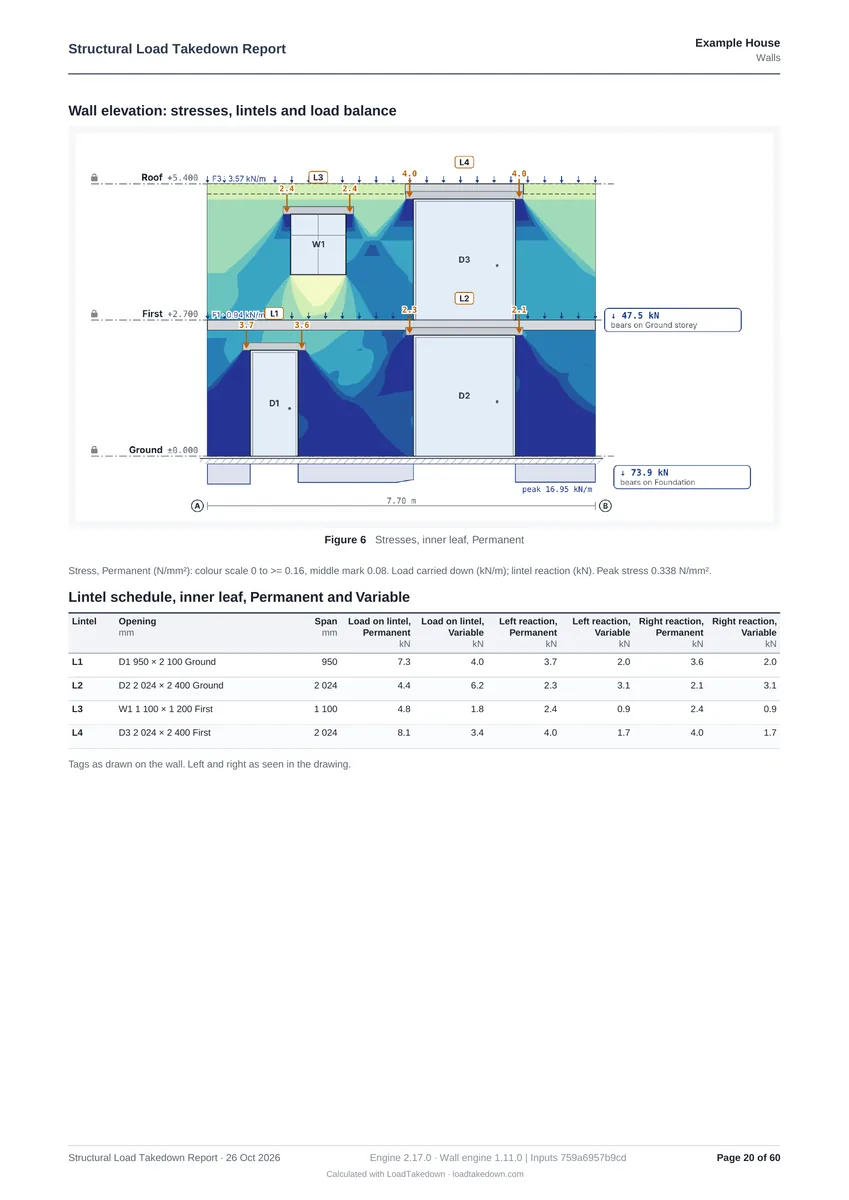
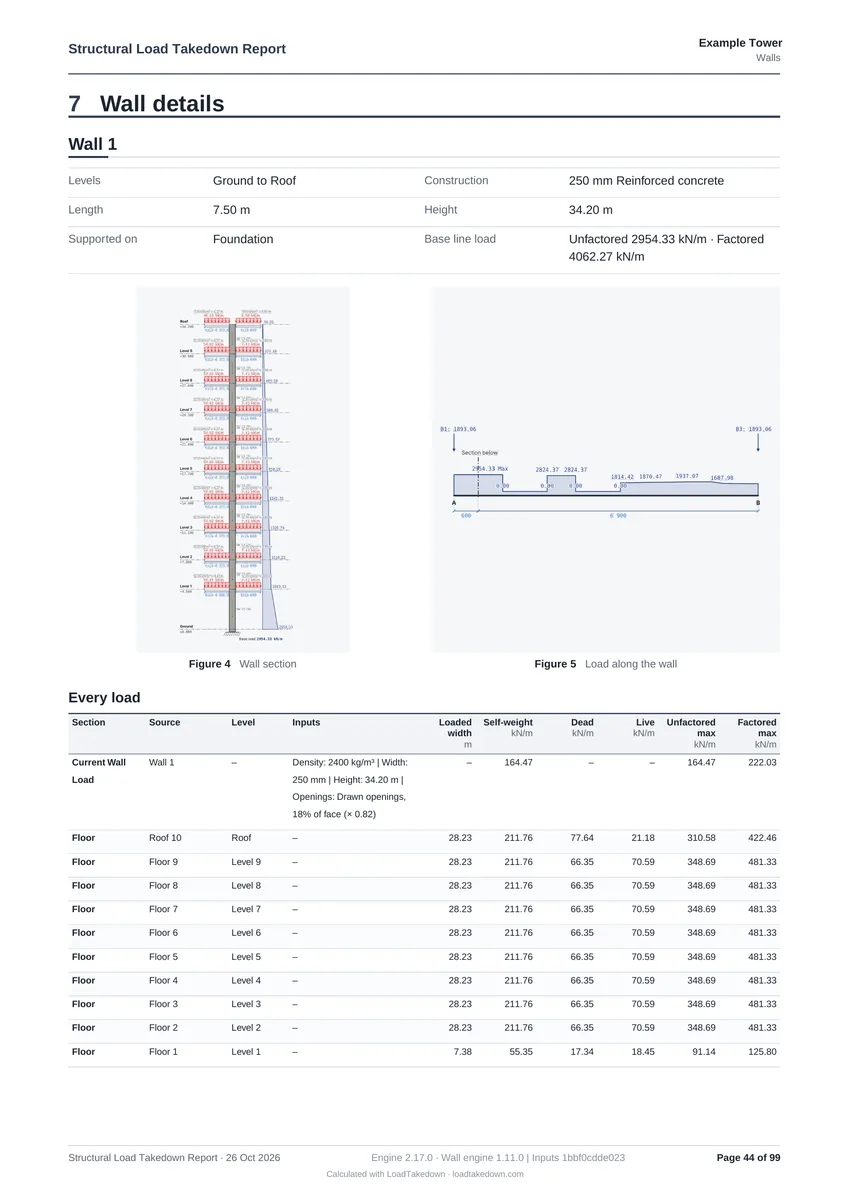
Stress in every wall
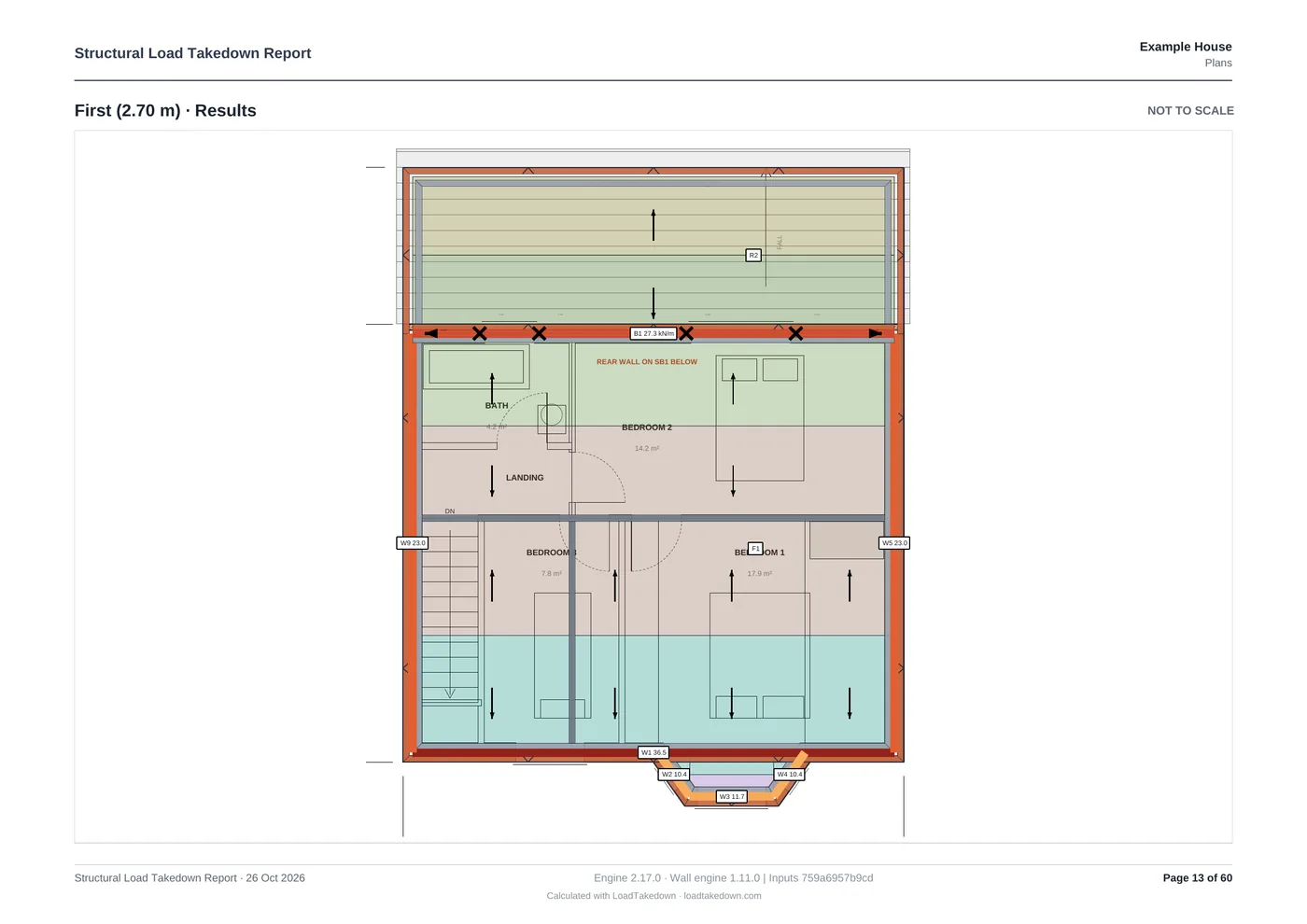
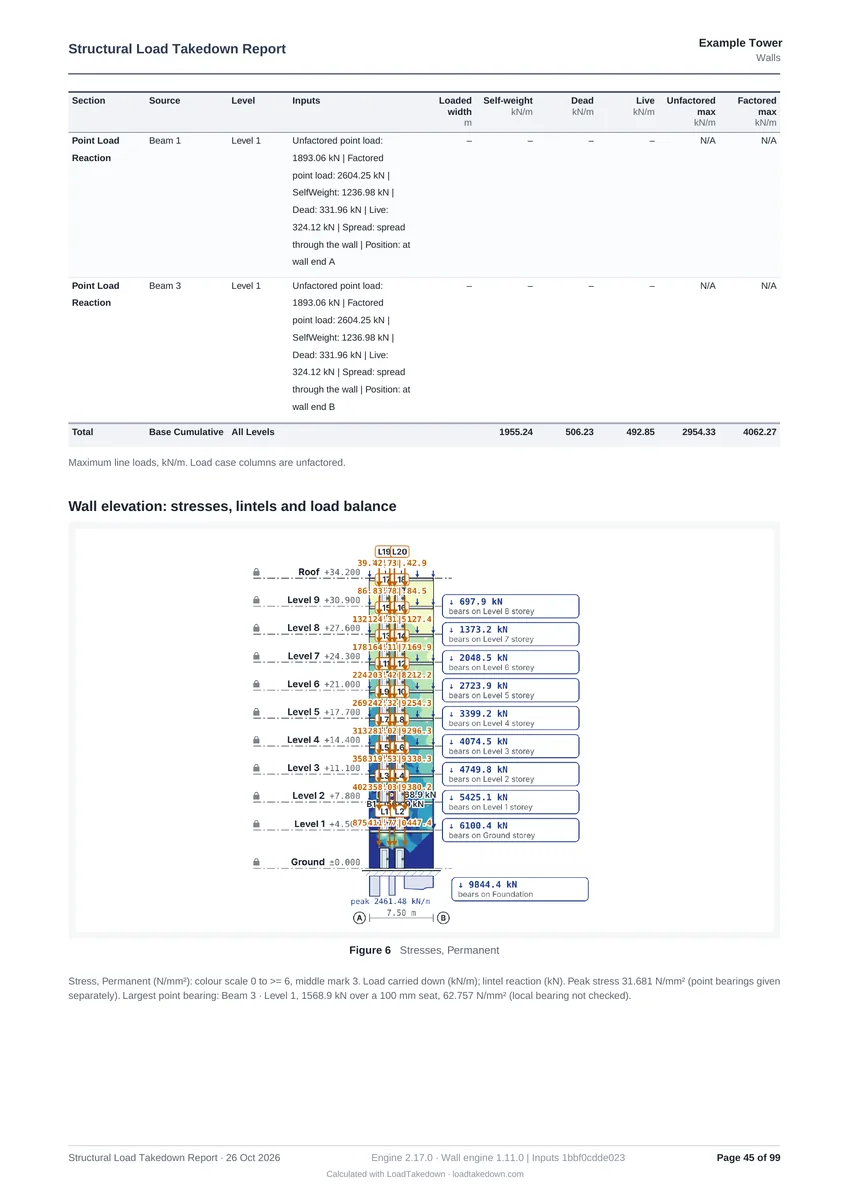
Each wall's stress in N/mm², spreading under the lintels, with the load it puts on the storey below.
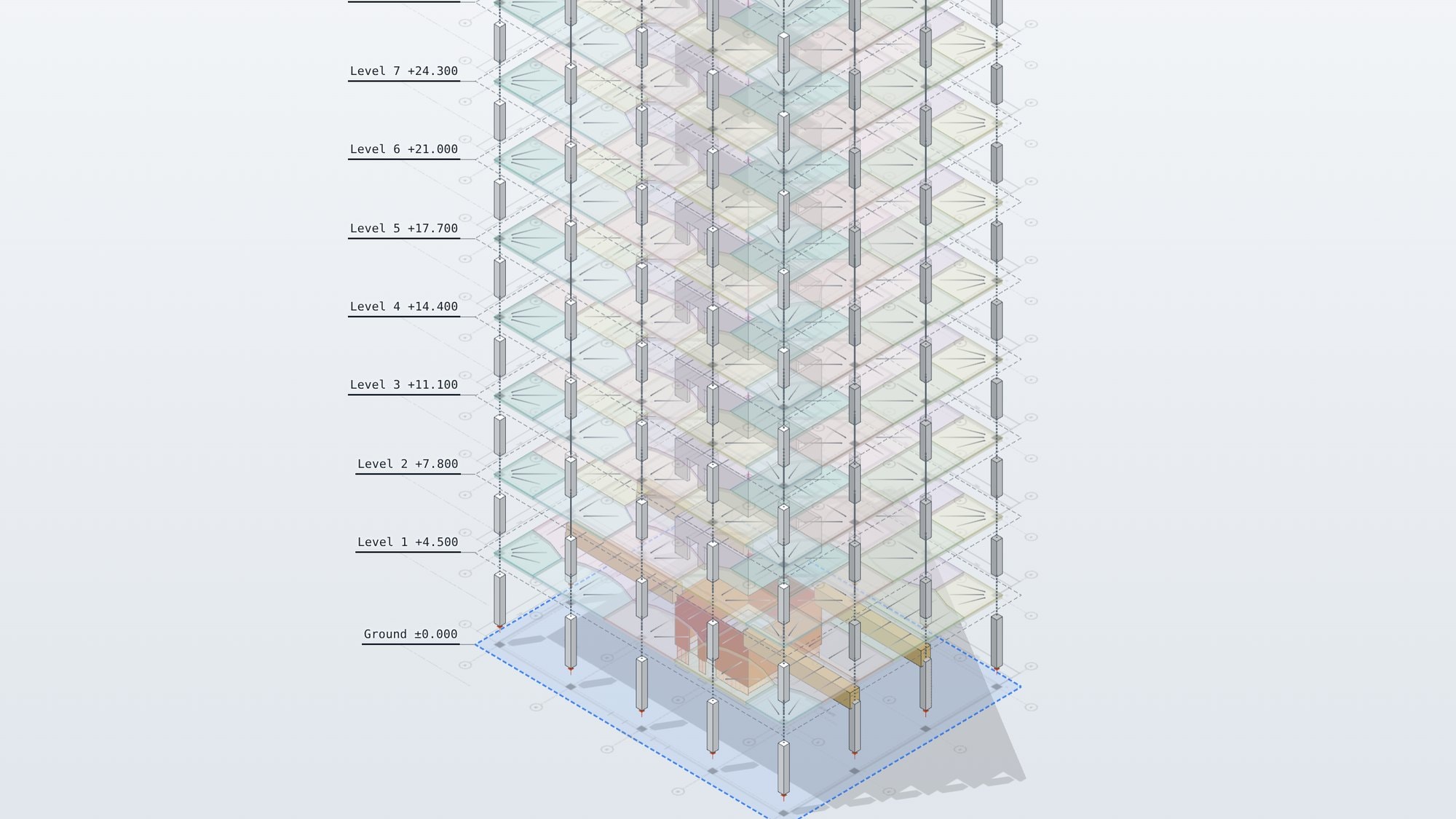
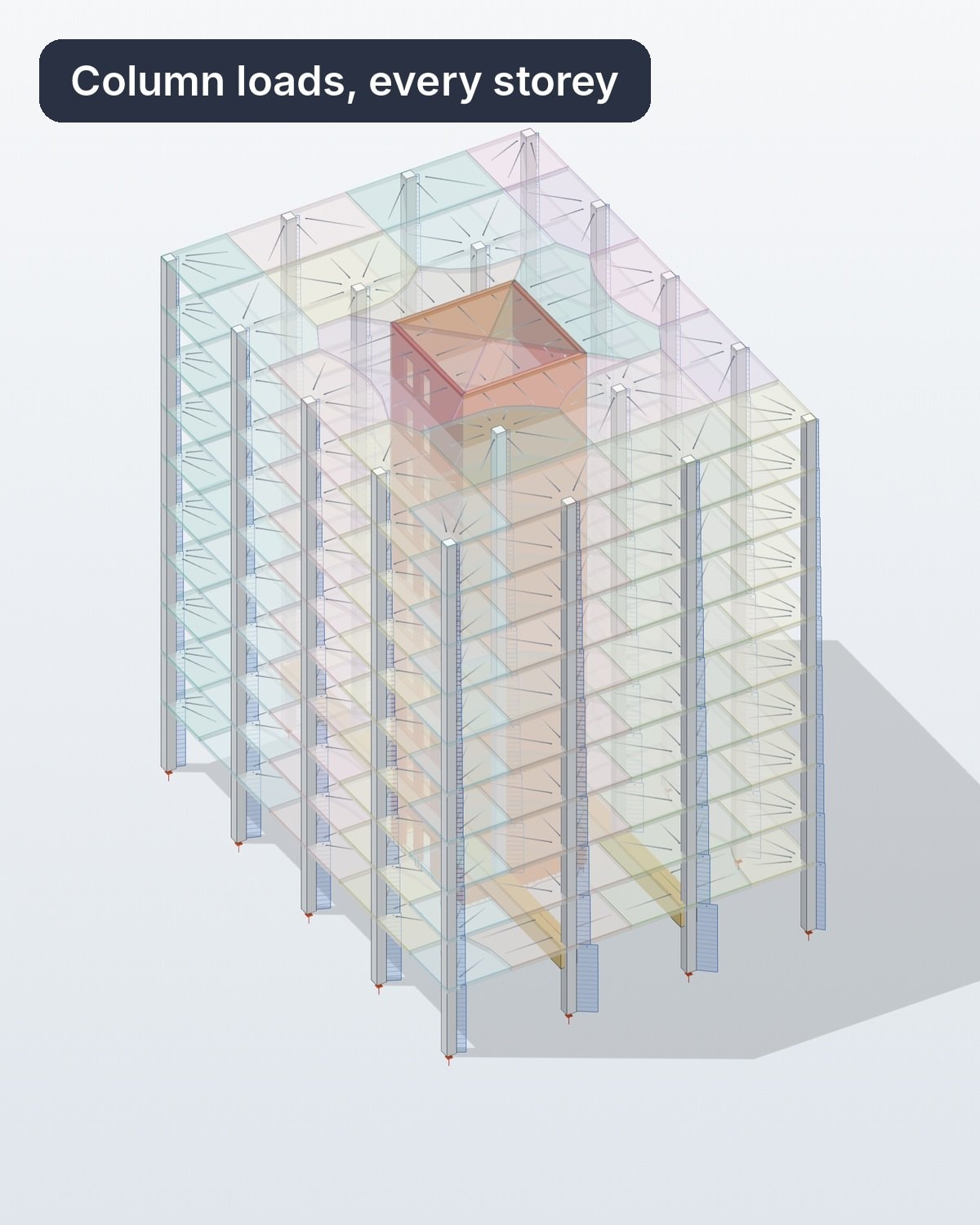
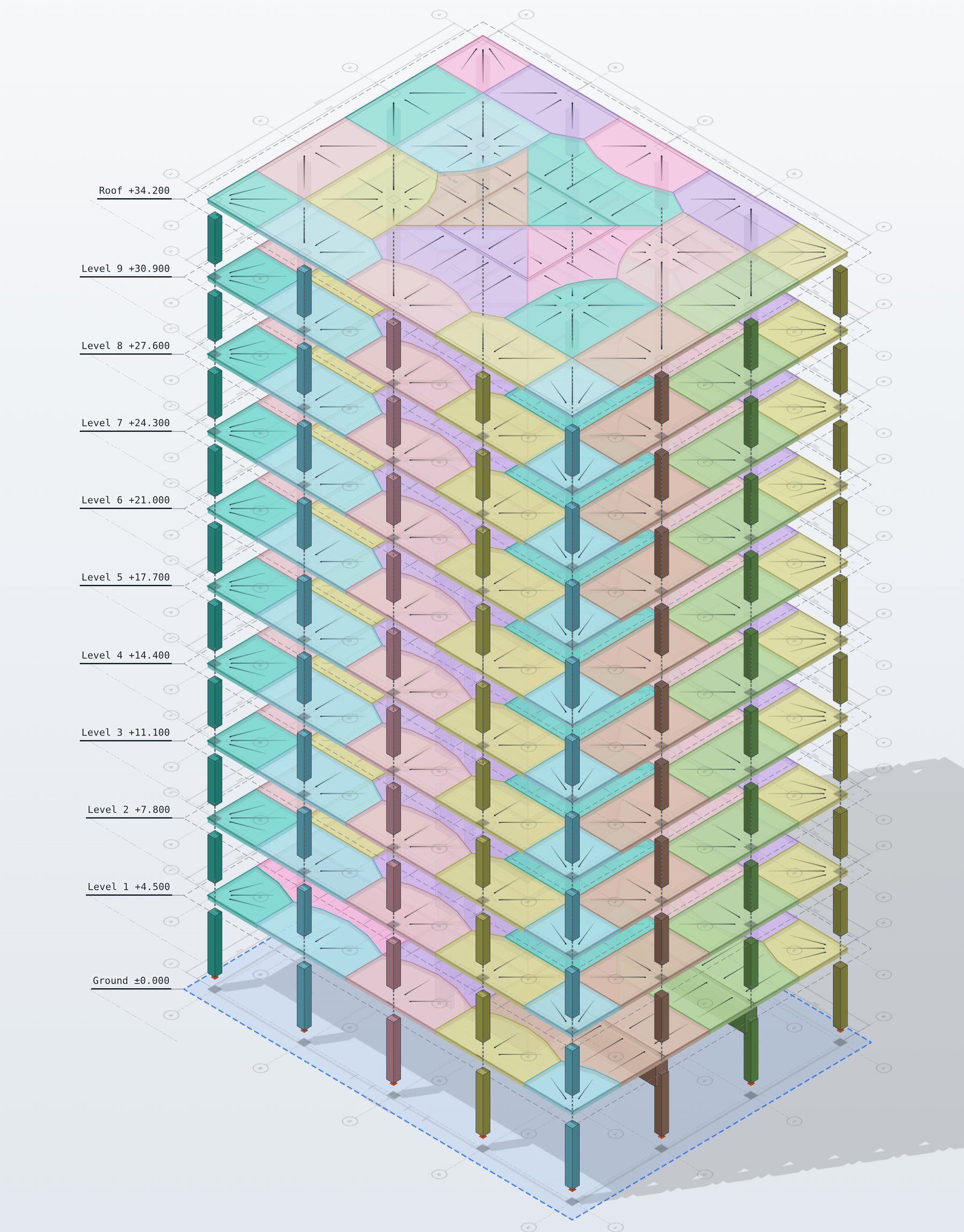
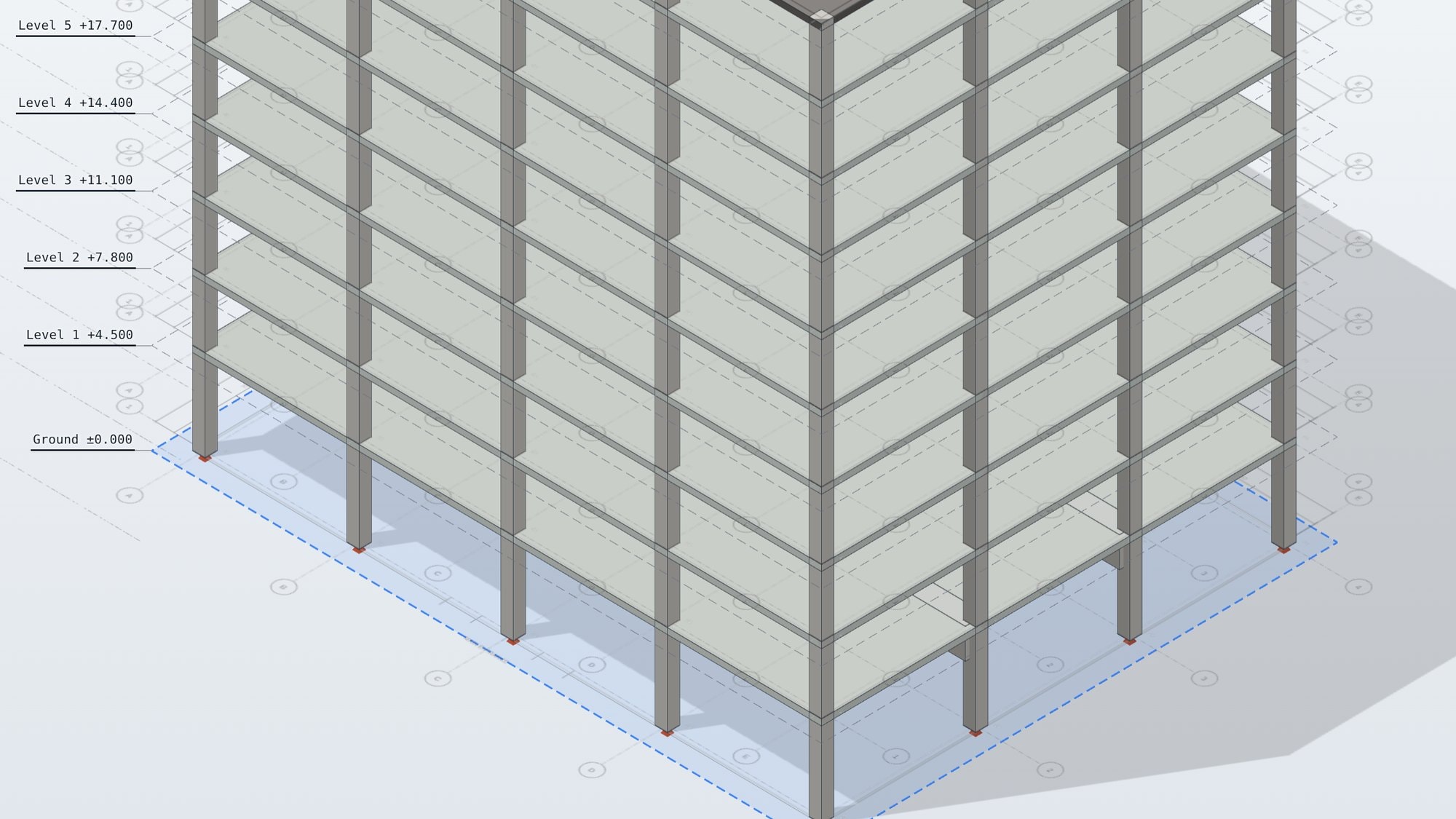
Load at every column base
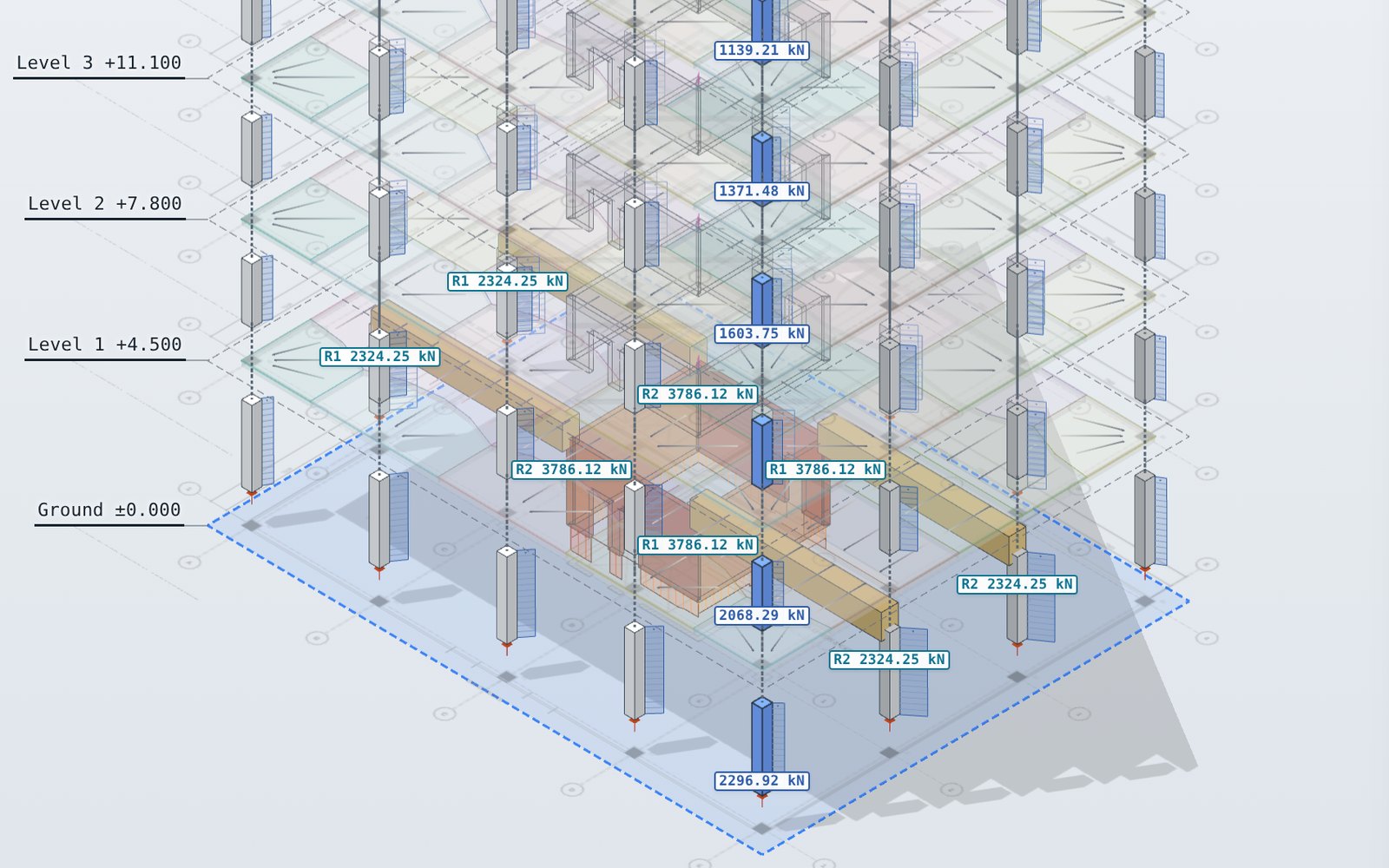
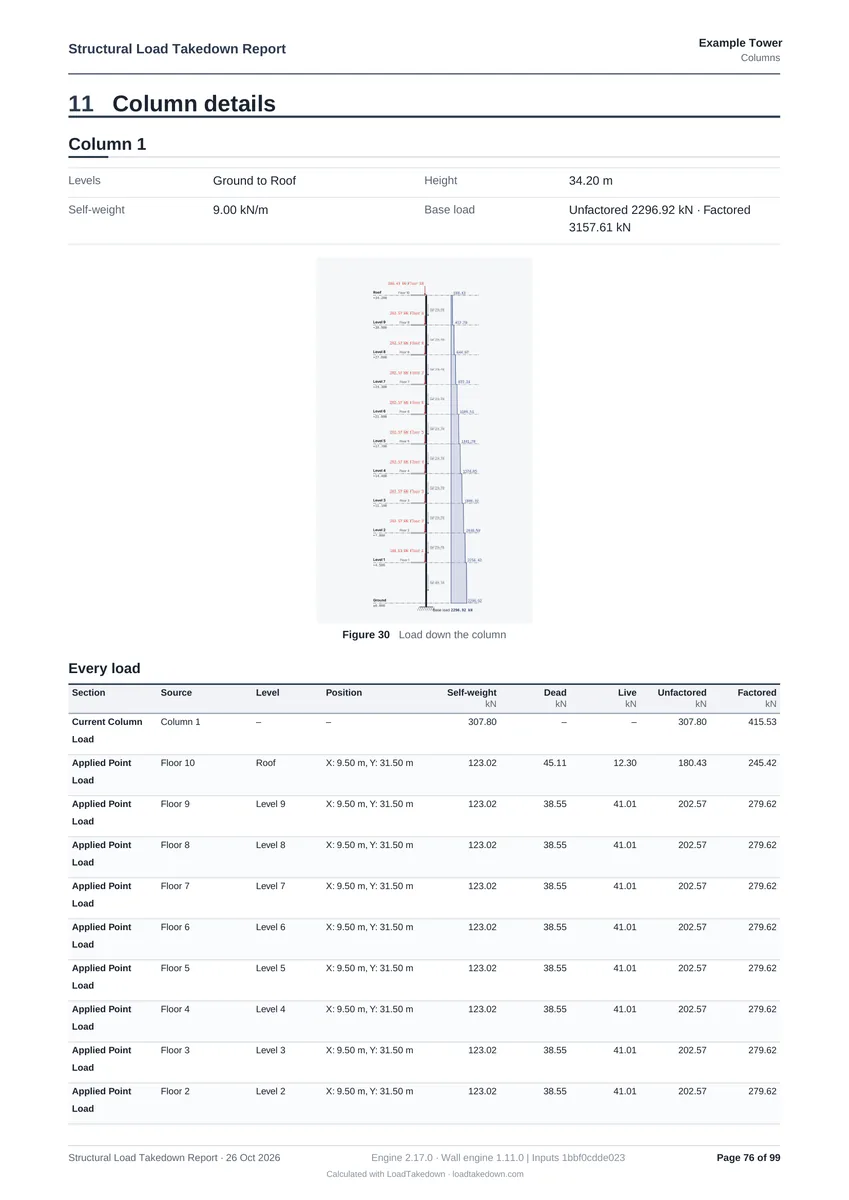
Each column picks up its floor storey by storey, with the reaction at each end of every beam.
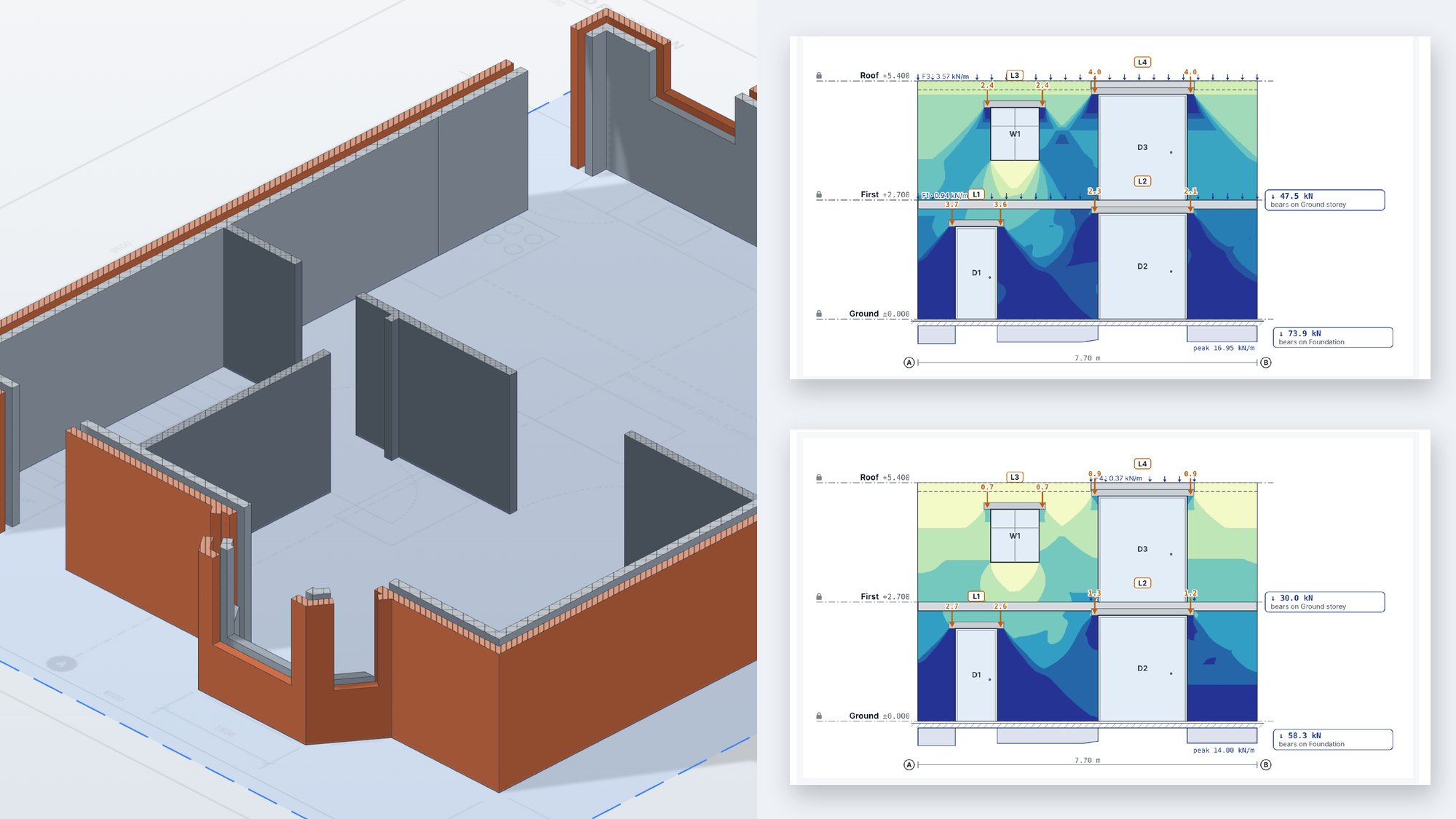
UK, EU and US loads
Imposed load categories from EN 1991-1-1 with the UK National Annex, or ASCE 7-22, in metric or imperial.
Saved as you work
Projects save to your account as you work, drawings included, or to a file on your own computer.
From drawings to foundation loads
Four steps from the architect’s drawings to the load on every foundation.
Step 1Model
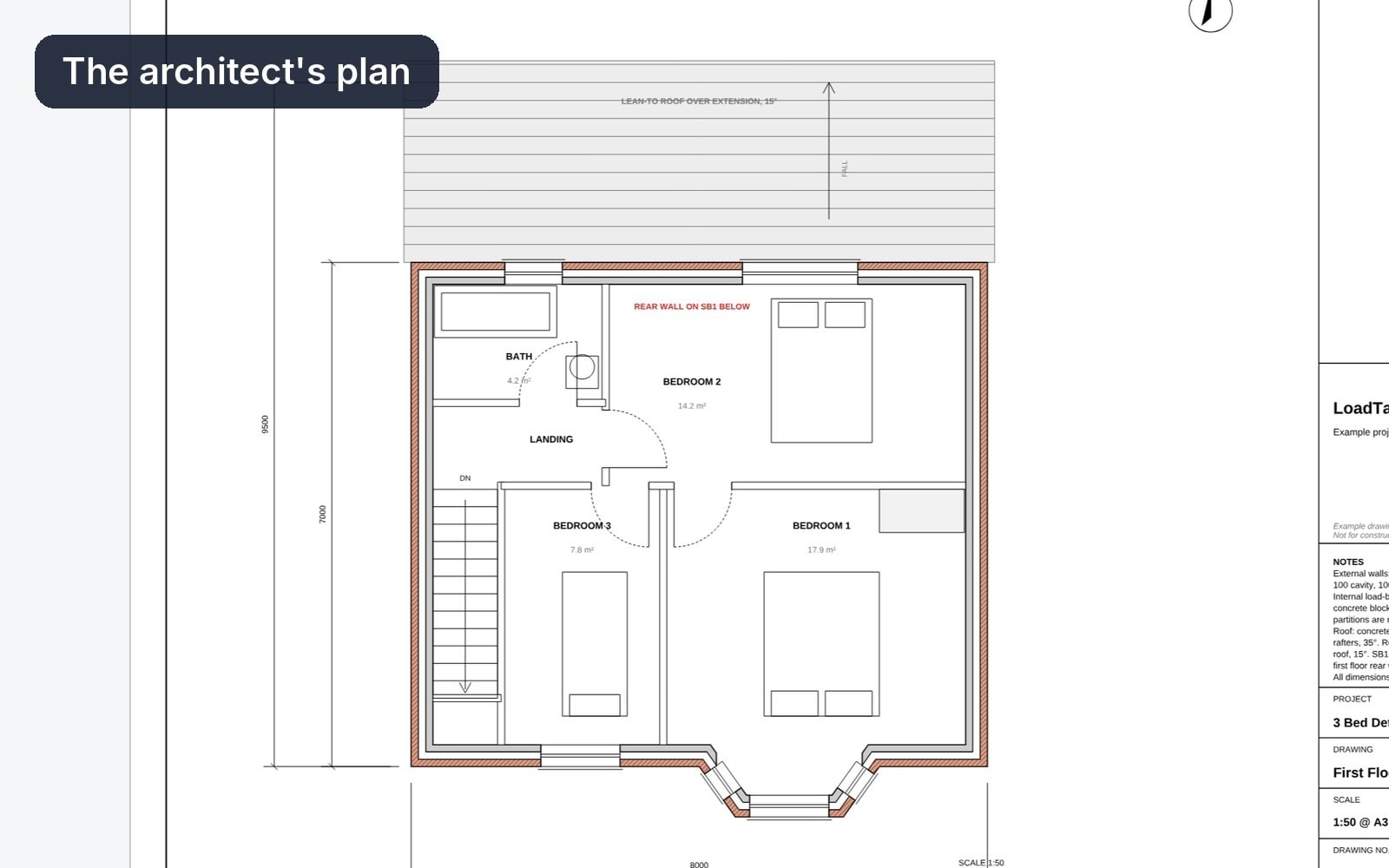
Build the model from your drawings
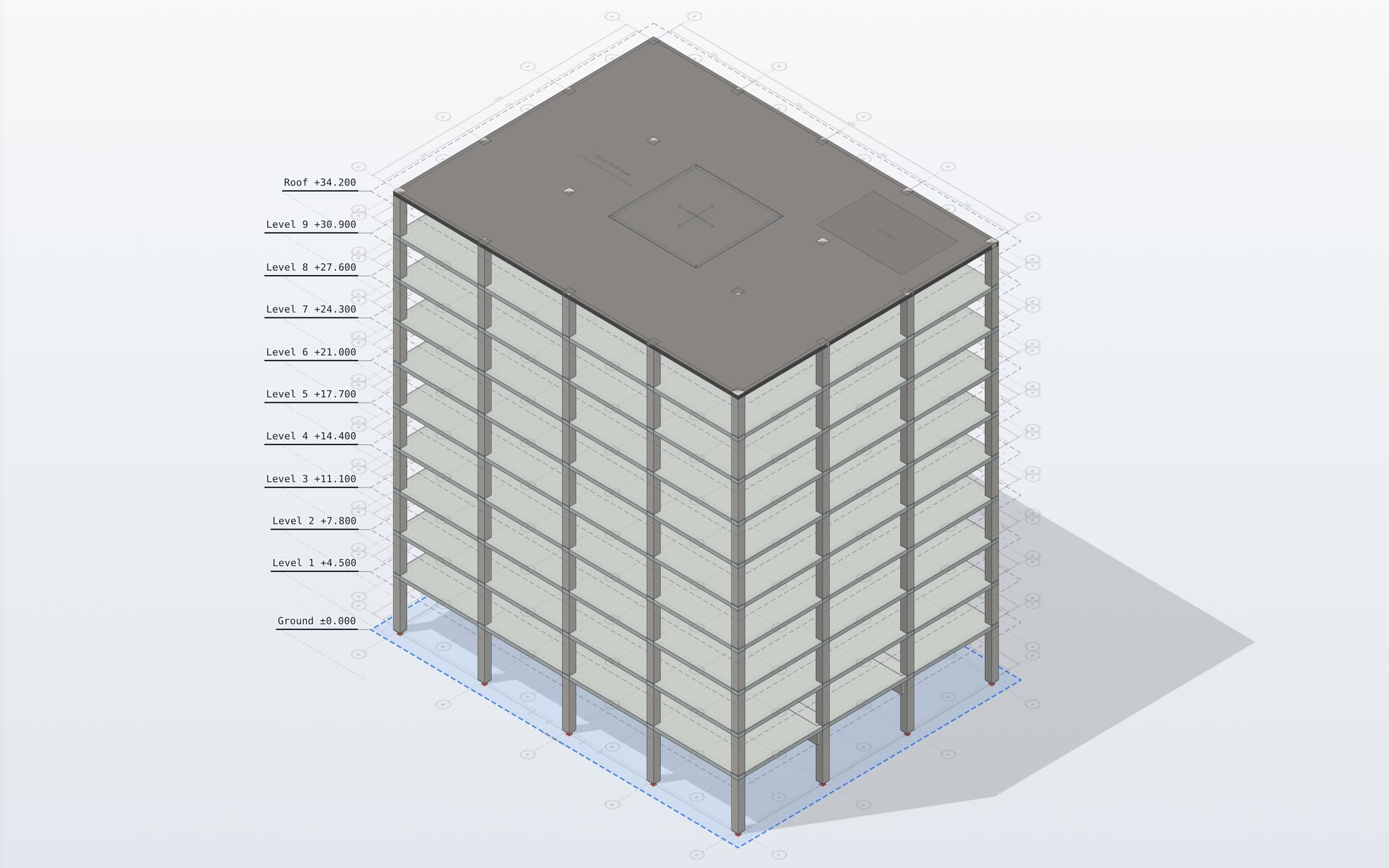
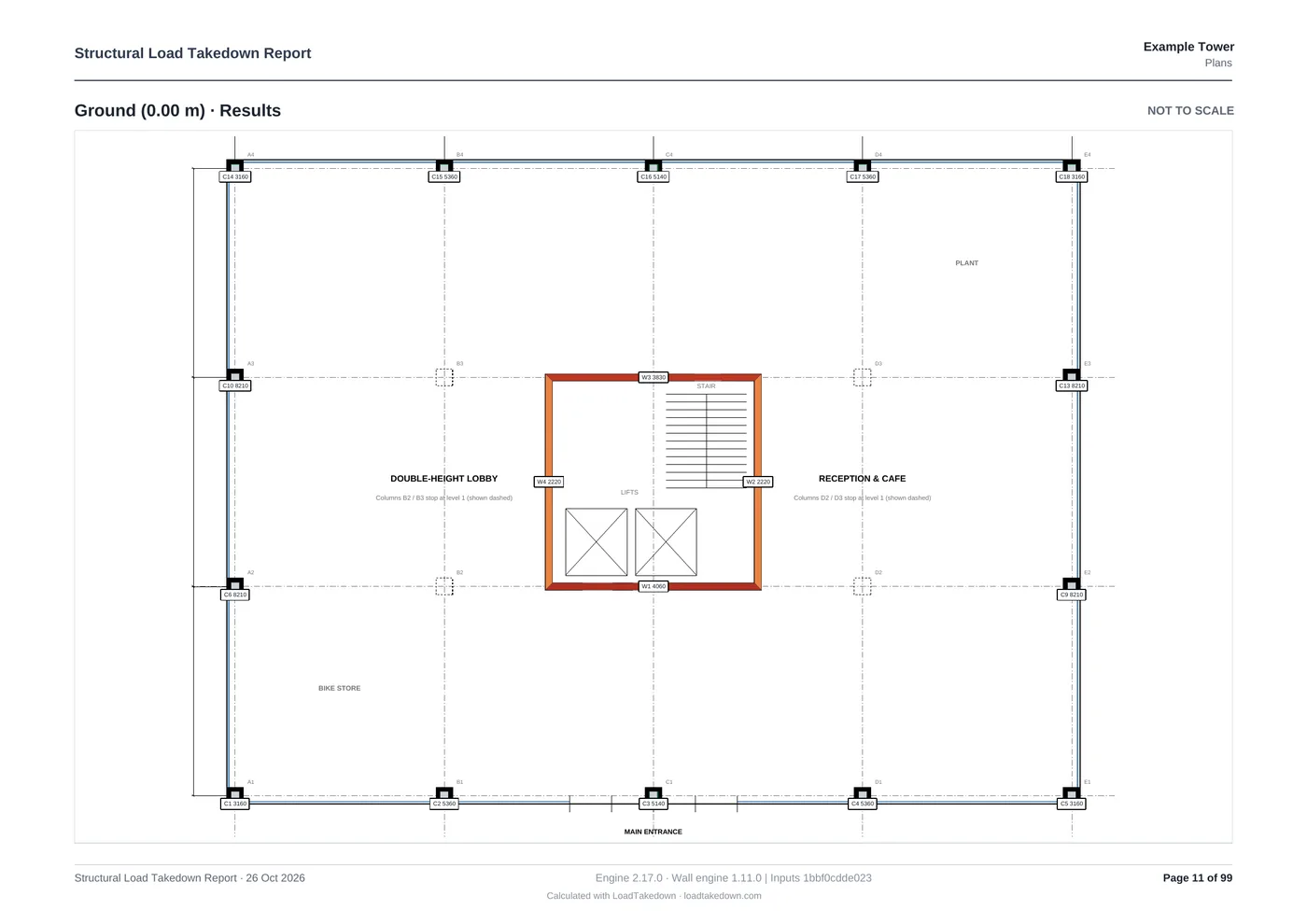
Import the architect's plans and LoadTakedown picks out the walls and floors, then works out the tributary areas. Adjust anything by hand with snapping.
- Multi-page PDF
- One- and two-way spans
- Beams and columns
Step 2Elevate
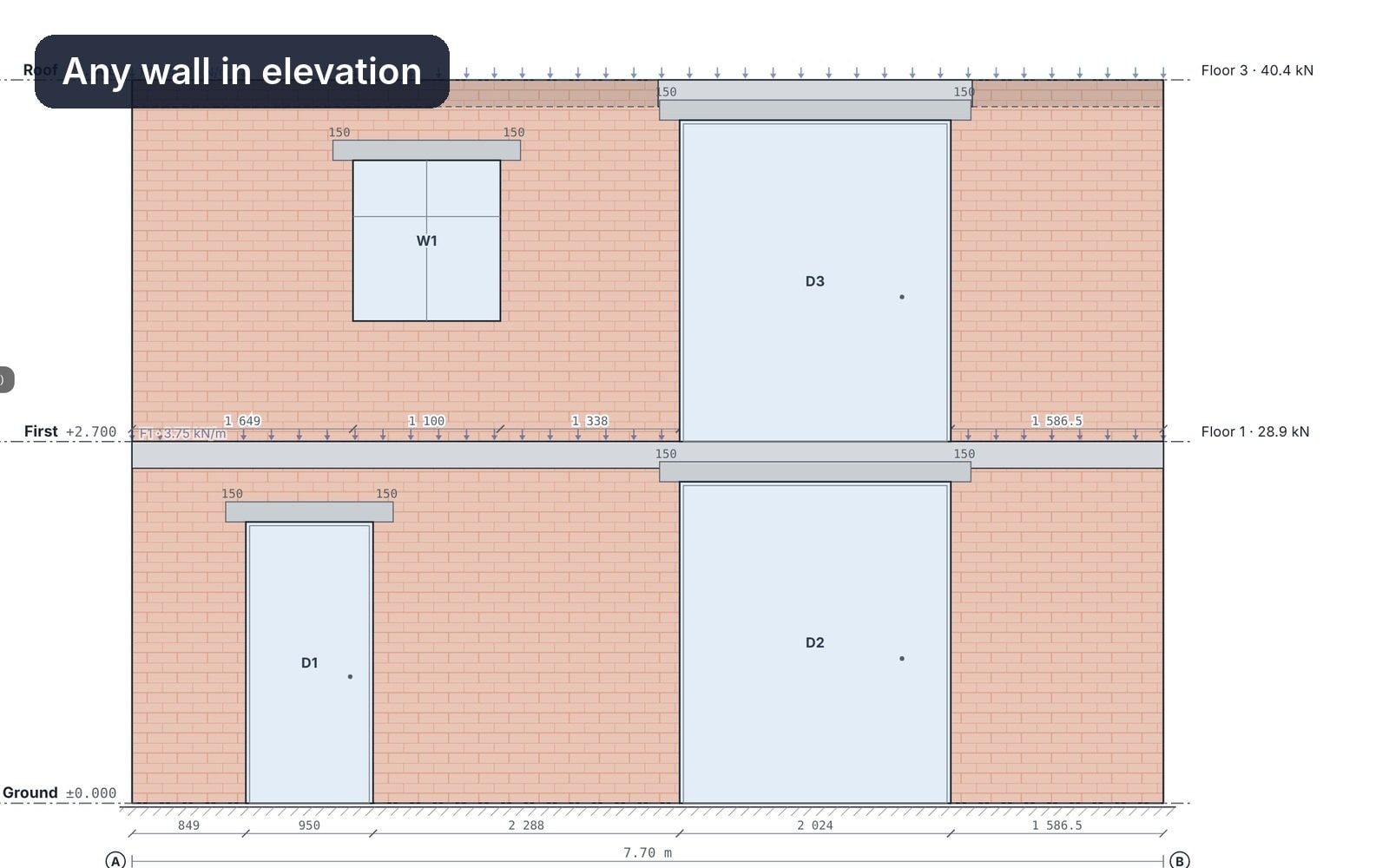
See the stress in every masonry panel
Add windows and doors, and watch the lintels pick up the load and the masonry spread it down to the base, leaf by leaf.
- Openings and lintels
- Stress in N/mm²
- Cavity leaves
Step 3Check
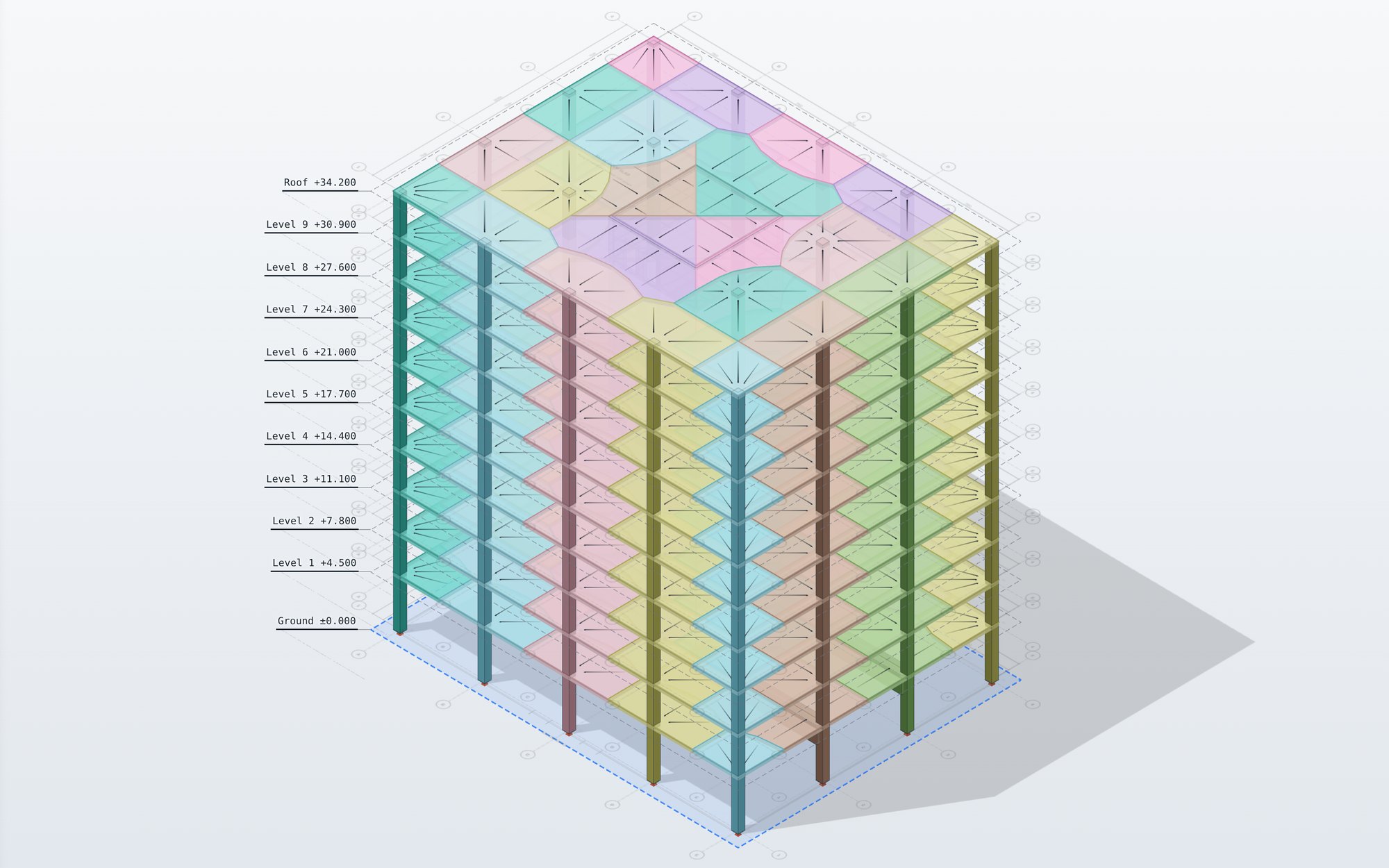
Check every tributary area
Every floor and roof slope split into the area each wall, beam and column carries, coloured to match the element it loads. Change a span and it updates at once.
- One- and two-way spans
- Coloured by element
- Load balance every run
Step 4Report
Export the calculation report
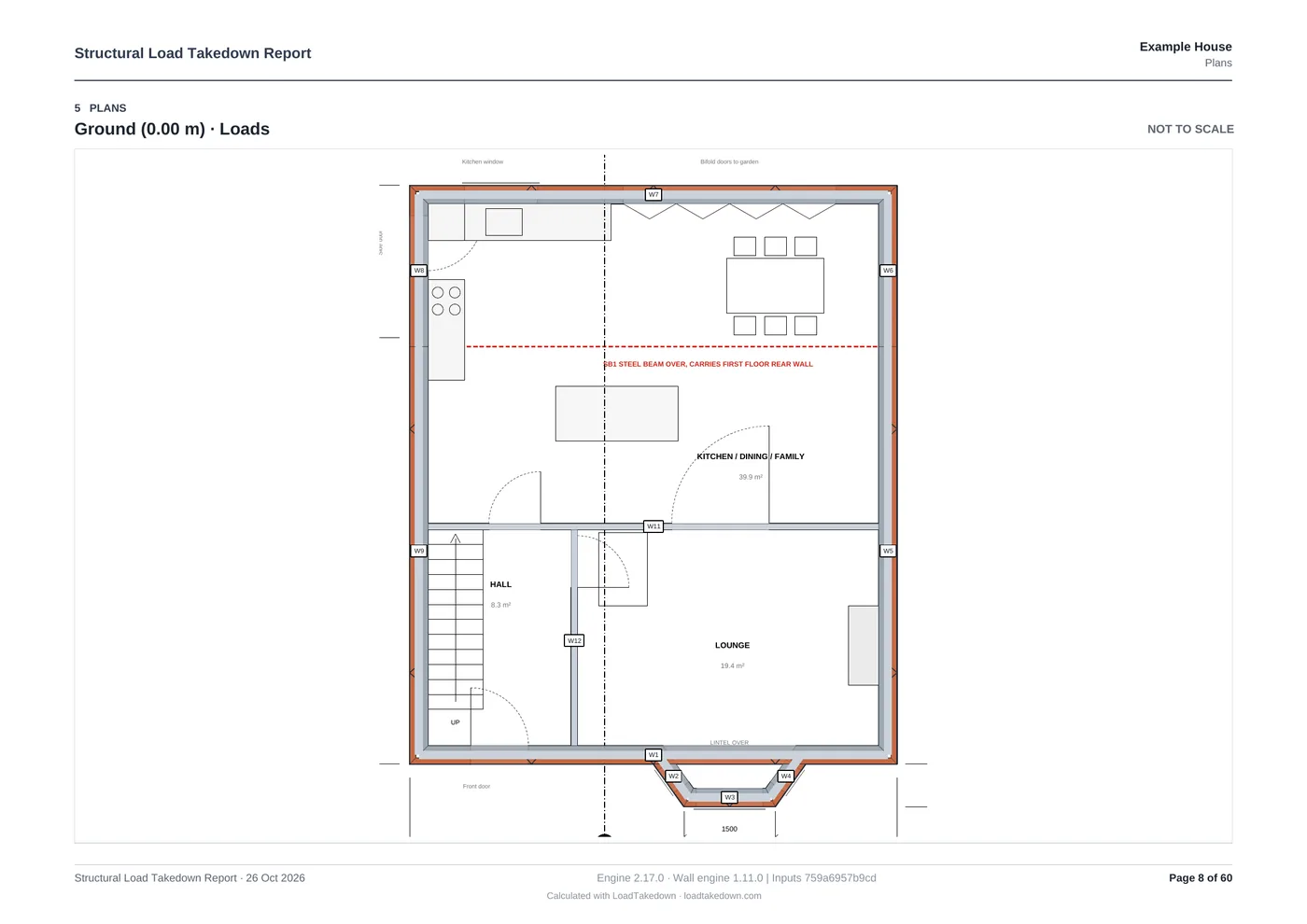
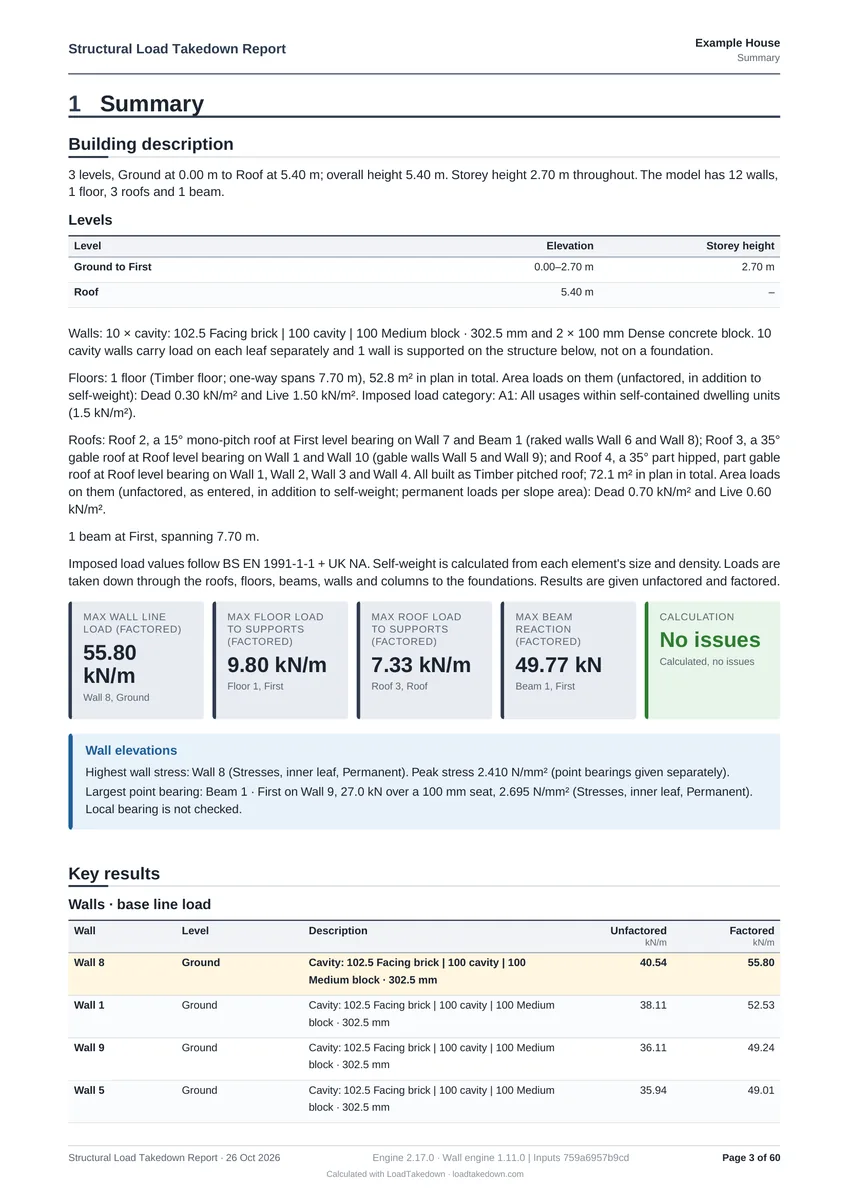
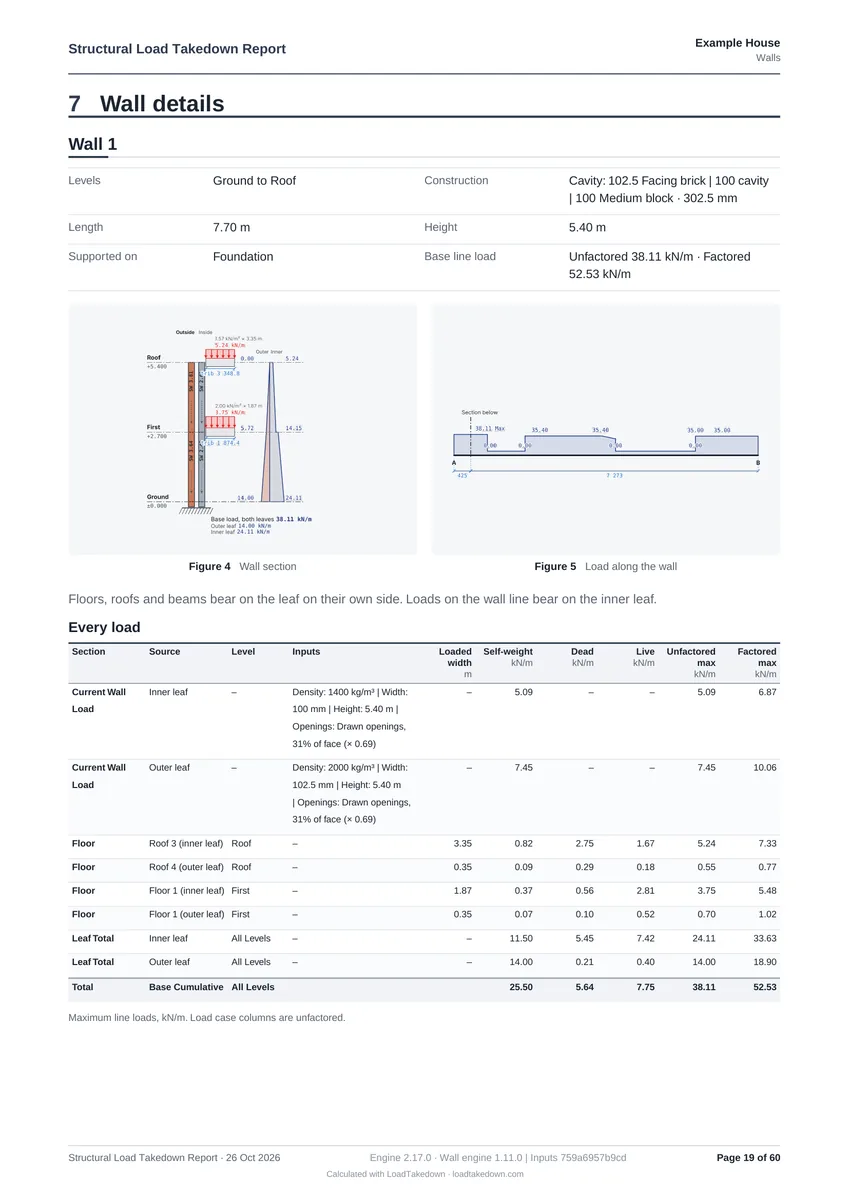
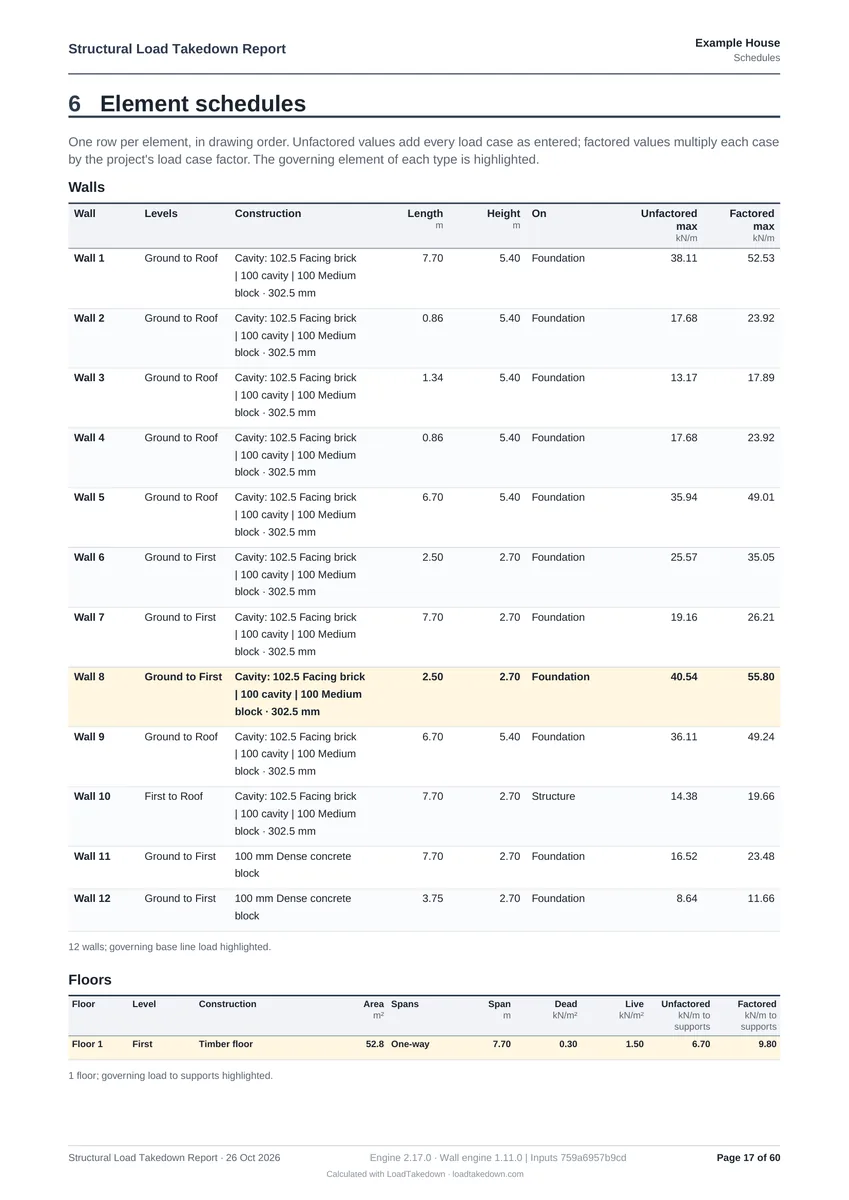
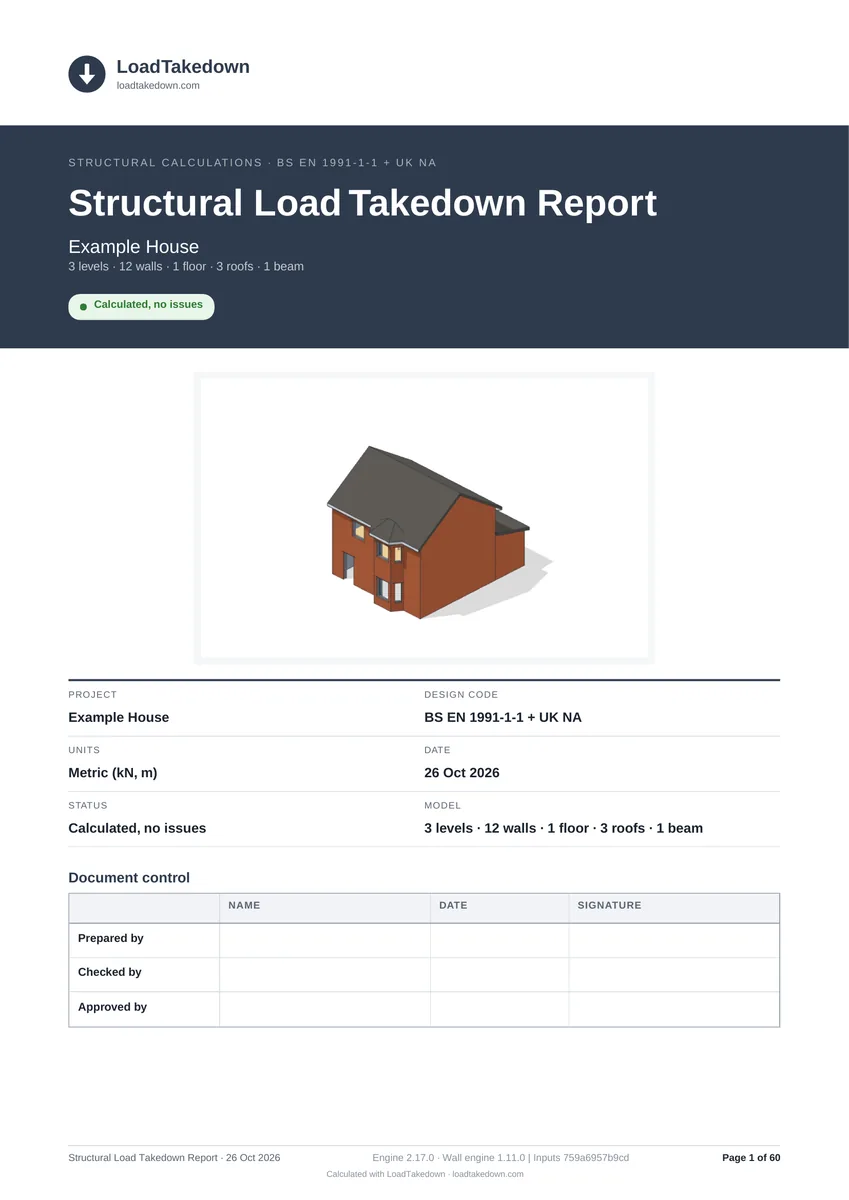
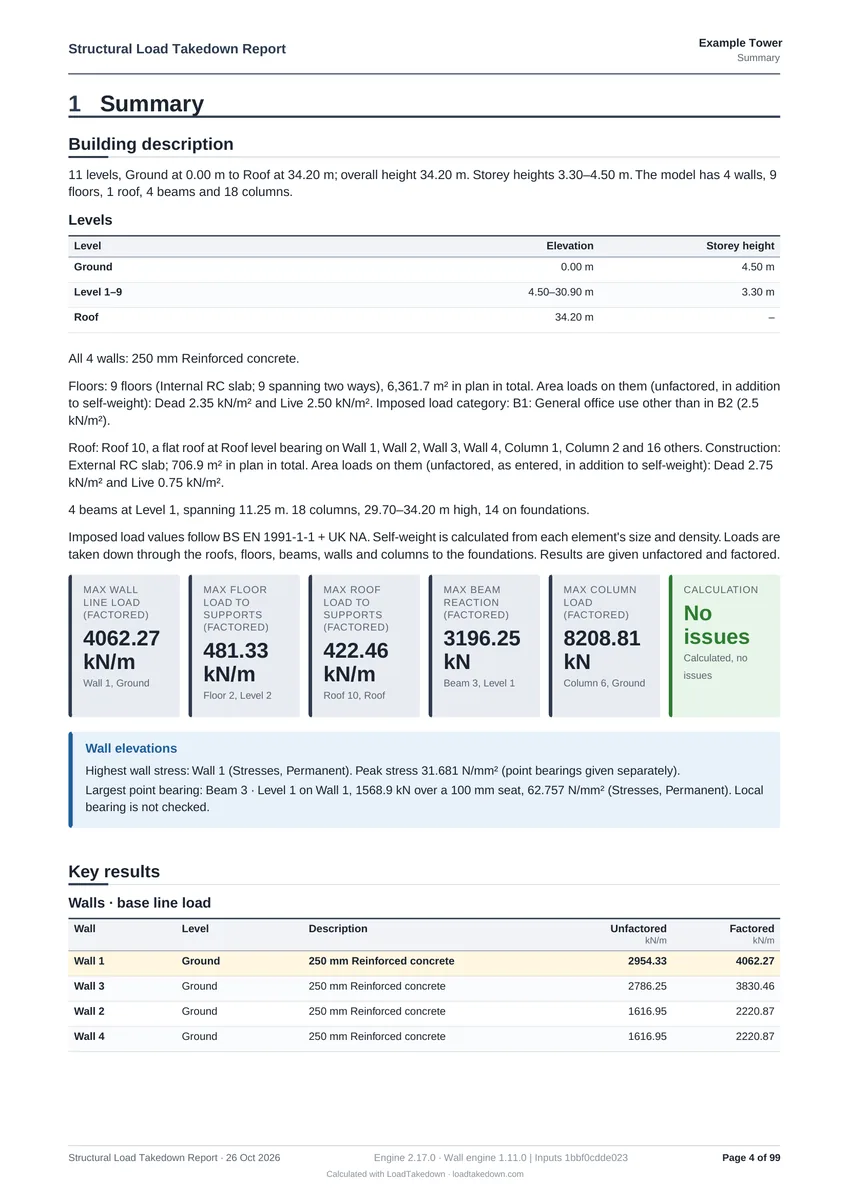
A PDF and Excel report with the marked-up plans, a load summary, the foundation schedule and every wall's working.
- Foundation schedule
- Lintel schedule
- Method and assumptions
Free download
Prefer a spreadsheet?
Get our Excel load takedown template, the same method laid out by hand. Enter your email and it downloads straight away.
Get the free spreadsheetCommon questions
No. LoadTakedown runs in your normal web browser on any computer, Windows or Mac, with nothing to install. A desktop app that also works offline, with projects saved as files on your own machine, is on the way.
Tributary areas come from the walls, beams and floors in your model, then the dead and imposed loads you set are taken down storey by storey to the foundations. Every run checks that the load reaching the foundations balances the load applied, and the report shows each wall's working so it can be checked by hand. The engineer stays responsible for the design.
More on the method in the blog →Yes. Import an IFC model from Revit, Tekla, ArchiCAD or any other BIM tool, and its walls, slabs, columns and beams come in at their modelled sizes, one level per storey. Pro exports the model back out as IFC with the loads, reactions and tributary areas attached, so the takedown fits into your BIM workflow.
How IFC import and export work →Yes, from a house extension to a complex multi-storey frame. Use a drawing per level, set the storey heights, and model masonry walls, steel and concrete beams and columns, and one-way or two-way slabs.
You choose a region for each project. US projects use ASCE 7-22 live loads with ASD and LRFD gravity combinations, in psf, plf and lb. UK projects use BS EN 1990 and 1991-1-1 with the UK National Annex, and European projects the recommended values, in kN/m² and kN/m. Anywhere else you can enter your own loads and factors.
Signed in, your projects and the drawings you upload save to your LoadTakedown account as you work, so they follow you to any computer. They are stored securely and are not shared with other users. If you would rather keep a project on your own machine, save it as a file instead.
Every load is worked out the same way every time, straight from the model, so there are no hand-measured areas or broken formulas, and the load balance is checked on every run. Each wall's working is laid out to check by hand, on the plan and in 3D. When the architect moves a wall, change the model and every load updates in seconds instead of reworking the sheet.
See it work on a real house
Open the example house with no account needed, then bring your own drawings.
UK · Eurocode · ASCE 7 · Metric or imperial