About
A visual load takedown tool for early-stage design
Import PDF plans, trace walls and floors, and get tributary areas and vertical loads in minutes.
LoadTakedown removes the repetitive, error-prone work of spreadsheet-based load takedown by letting you work directly on the plans, align levels, and see tributary areas and wall loads update live as you draw.
The emphasis is on clarity, speed, and transparency. It helps engineers understand and develop structural arrangements and verify load paths before moving to detailed analysis.
What you can do today
Build a clear structural picture directly from your drawings.
Import and scale multi-page PDF plans for each building level
Align multiple levels to maintain consistent geometry through the structure
Extract geometry from PDFs to instantly identify walls and structural lines
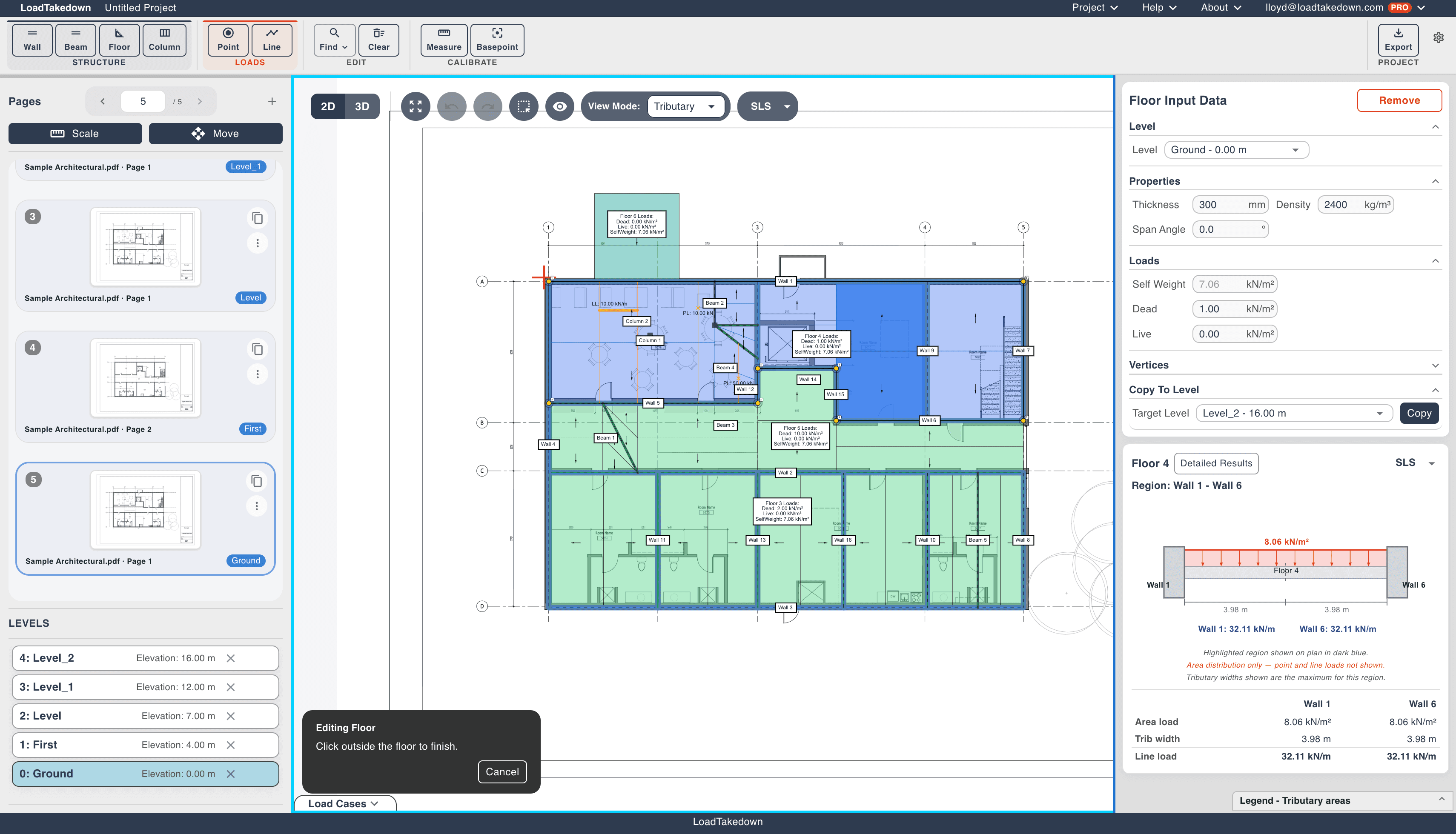
Sketch and edit walls, floors, columns, and beams directly on the drawing
Apply floor loads with one-way spanning, UDL, and bay load options
Visually verify support conditions using colour-coded tributary regions
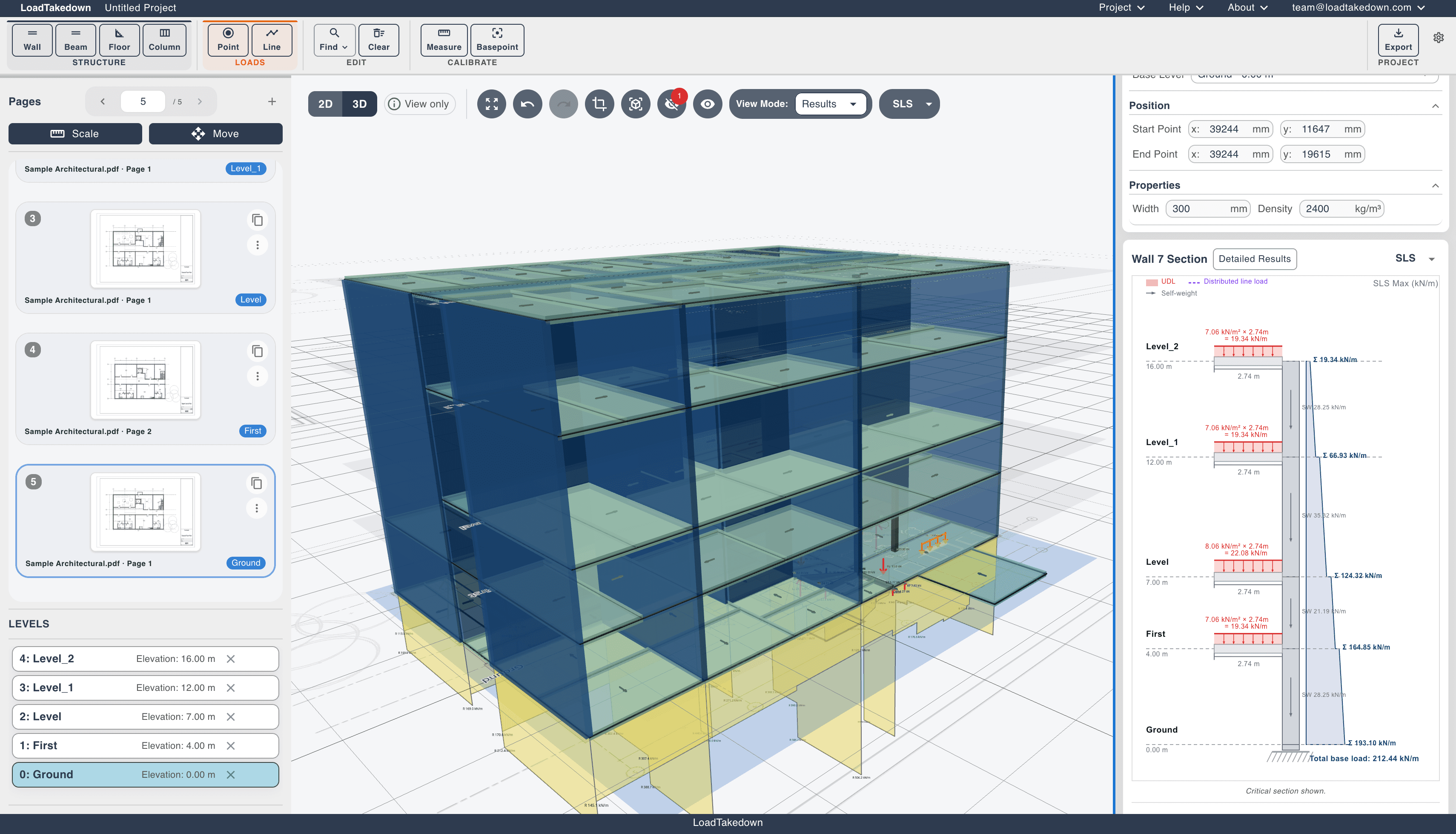
Automatically calculate vertical wall loads from all supported floors
Inspect detailed load breakdowns at each wall, by level and contributing area
View your full structure in 3D with load results overlaid
Export PDF calculation reports with marked-up plans and structured results
Annotate plans with lines, rectangles, circles, text, and freehand drawing
All results update live as geometry changes, so you can test layouts, visualise load paths, and catch mistakes early.
How LoadTakedown thinks about loads
The assumptions are simple and explicit, appropriate for feasibility and concept design.
Simple one-way spanning floors. Loads span in the specified direction only.
Per-level load reporting. Loads from each floor are resolved independently to their supporting walls, with clear breakdowns per level.
Clear load breakdowns. No hidden averaging, smoothing, or vertical spread. Every load contribution is shown and traceable.
This keeps outputs predictable, auditable, and easy to sense-check.
Typical use cases
Early-stage structural feasibility studies
Visualising and testing layout arrangements
Comparing design options quickly
Checking wall load magnitudes before detailed analysis
Producing auditable calculation reports for scheme design
Teaching or explaining load paths visually
Sanity-checking manual or FEA-based calculations
What's coming next
Development is active and focused on expanding capability while keeping the tool easy to use. Planned improvements include:
Cloud project storage and sharing
Additional floor span and support conditions
Expanded structural elements and load types
Vertical load transfer between stacked elements across levels
IFC/BIM export
The goal is a reliable, engineer-first load takedown workspace, not a one-off calculator.
Important notes
This software is under active development by a small team.
Feedback and bug reports are strongly encouraged. Use the feedback form.
Always apply professional judgement to results.
See licences and terms for intended use and limitations.
See it on a real building
Open the example project and step through a full takedown. Free to start, no account required.
Try a live example