Demo
See a load takedown from start to finish
A two-storey load takedown from an architect's PDF in under five minutes. Watch the overview, then open the built-in example and try it yourself.
Plays muted. The video only downloads once you press play.
What you'll see
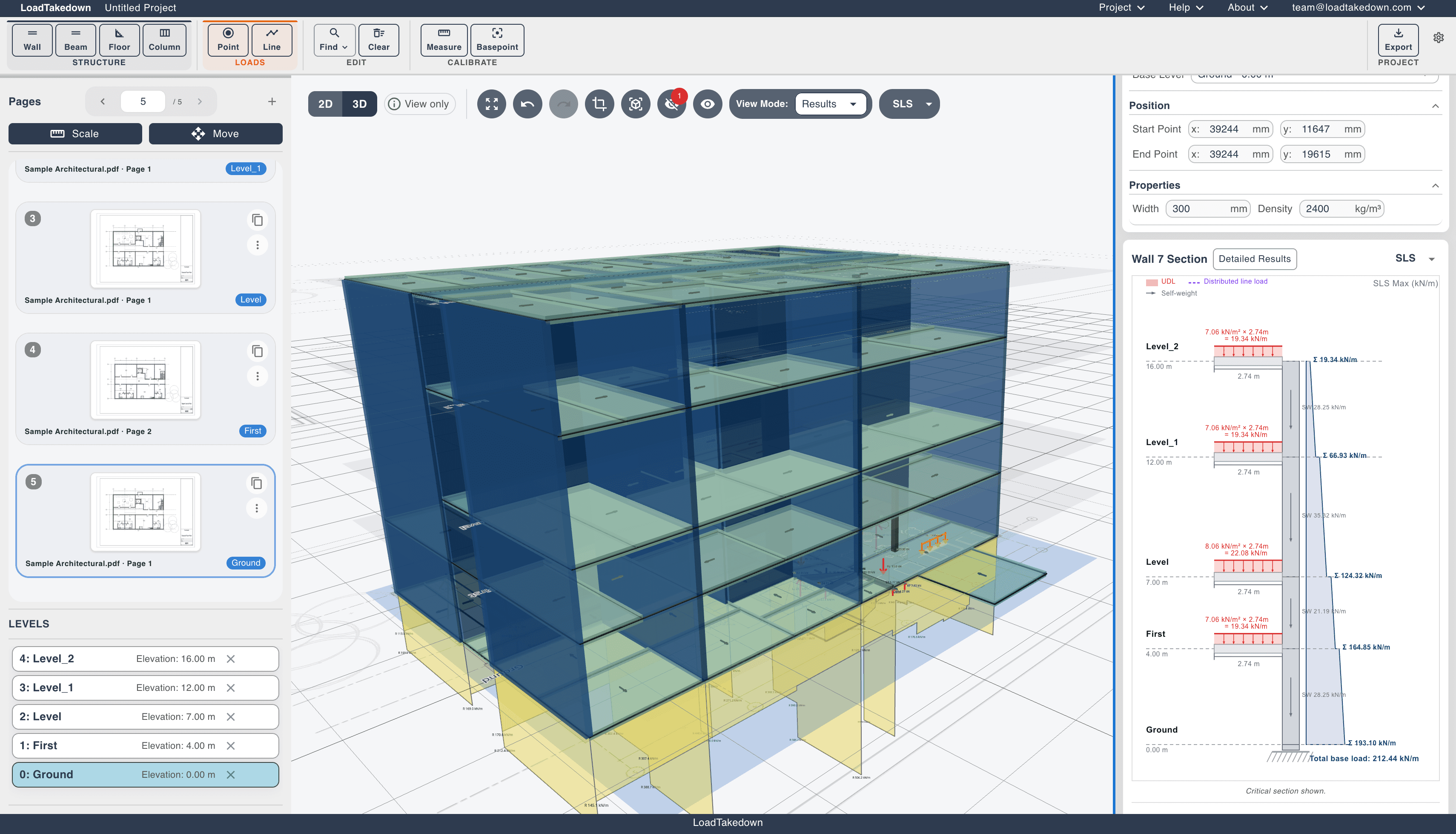
From an architect's PDF to a complete load takedown with 3D visualisation and detailed results. Nothing to install.
01
Load plans and set up levels
Import single or multi-page architect PDFs, set scale from a known dimension, and assign each plan to a building level with floor-to-floor heights.
02
Align and model the structure
Pin plans to a shared basepoint so levels stack, then trace walls, floors, columns, beams and load zones with snapping. AI wall detection can find walls for you.
03
Review in 3D and check results
Visualise the full building, check load paths between levels, and read tributary areas, wall cross-sections and per-element breakdowns as they update live.
04
Annotate and export
Add markup, dimensions and notes on the plan, then download a PDF calculation pack with load diagrams, results tables and annotated plans.
Longer walkthroughs
Two full run-throughs of a real project, if you want the detail.
Full project walkthrough
Plays muted. The video only downloads once you press play.
Watch on YouTube
Prefer the previous demo? Watch it here.
Try the example project
Open the app and load the built-in example, a two-storey building with tributary areas already defined. Explore the 3D view, inspect wall results and load diagrams at each level, then clear it and import your own PDF.